import os
import csv
import datetime
from telethon import TelegramClient
from dotenv import load_dotenv
# === 1. 读取配置 获取频道群组信息 ===
load_dotenv()
API_ID = os.getenv(“API_ID”)
API_HASH = os.getenv(“API_HASH”)
PHONE_NUMBER = os.getenv(“PHONE_NUMBER”)
TWO_STEP_PASSWORD = os.getenv(“TWO_STEP_PASSWORD”)
if not API_ID or not API_HASH:
print(“❌ 错误: 请确保 .env 文件中配置了 API_ID 和 API_HASH”)
exit(1)
client = TelegramClient(‘session/user_session’, int(API_ID), API_HASH)
def get_bot_api_id(entity, entity_type):
“””
根据实体类型将 Telethon ID 转换为 Bot API ID
Bot API 规则:
– 频道/超级群: -100 + ID
– 普通小群: – + ID
– 用户: ID (不变)
“””
raw_id = entity.id
if entity_type in [“频道”, “超级群”, “频道(未知)”]:
return int(f”-100{raw_id}”)
elif entity_type == “普通群”:
return int(f”-{raw_id}”)
else:
return raw_id
async def list_and_export_chats():
“””列出并导出账号加入的所有频道和群组”””
print(“📃 正在获取对话列表,请稍候…”)
chat_data_list = []
async for dialog in client.iter_dialogs():
entity = dialog.entity
entity_type = “未知”
# — 分类逻辑 —
if dialog.is_user:
entity_type = “私聊”
elif dialog.is_channel:
if getattr(entity, ‘broadcast’, False):
entity_type = “频道”
elif getattr(entity, ‘megagroup’, False):
entity_type = “超级群”
else:
entity_type = “频道(未知)”
elif dialog.is_group:
entity_type = “普通群”
# 过滤掉私聊 (如果需要私聊ID,注释掉下面这行)
if entity_type != “私聊”:
# 获取两种格式的 ID
raw_id = entity.id
bot_api_id = get_bot_api_id(entity, entity_type)
chat_info = {
“类型”: entity_type,
“名称”: dialog.name,
“Bot_API_ID”: bot_api_id, # ✅ 新增:可以直接给 Bot 用的 ID
“原始_ID”: raw_id, # Telethon 用的原始 ID
“用户名”: getattr(entity, ‘username’, ‘无’) or ‘无’,
“成员数”: getattr(entity, ‘participants_count’, ‘未知’)
}
chat_data_list.append(chat_info)
print(f”[{entity_type}] {dialog.name} | Bot_ID: {bot_api_id}”)
# === 导出到 CSV 文件 ===
if chat_data_list:
# — 文件夹处理逻辑 —
folder_name = “namelist”
if not os.path.exists(folder_name):
os.makedirs(folder_name)
print(f”📁 已自动创建文件夹: {folder_name}”)
timestamp = datetime.datetime.now().strftime(“%Y%m%d_%H%M%S”)
filename = f”telegram_chats_{timestamp}.csv”
# 使用 os.path.join 确保跨平台兼容性
file_path = os.path.join(folder_name, filename)
# 更新表头
headers = [“类型”, “名称”, “Bot_API_ID”, “原始_ID”, “用户名”, “成员数”]
try:
with open(file_path, mode=’w’, encoding=’utf-8-sig’, newline=”) as f:
writer = csv.DictWriter(f, fieldnames=headers)
writer.writeheader()
writer.writerows(chat_data_list)
print(“-” * 50)
print(f”✅ 成功!共导出 {len(chat_data_list)} 个群组/频道。”)
print(f”📁 文件已保存到: {os.path.abspath(file_path)}”)
except Exception as e:
print(f”❌ 导出文件失败: {e}”)
else:
print(“⚠️ 未找到任何群组或频道。”)
async def main():
await client.start(phone=PHONE_NUMBER, password=TWO_STEP_PASSWORD)
print(“✅ 登录成功”)
await list_and_export_chats()
if __name__ == “__main__”:
with client:
client.loop.run_until_complete(main())
Month: December 2025
forward
import asyncio
import os
import random
import re
import logging
from logging.handlers import RotatingFileHandler
from typing import List, Dict, Optional, Set
import aiosqlite
from telethon import TelegramClient
from telethon.tl.types import MessageMediaDocument, Message, DocumentAttributeVideo
from telethon.errors import FloodWaitError
from dotenv import load_dotenv

# ==================== 1. 基础配置与初始化 ====================
DB_FOLDER = "database"
SESSION_FOLDER = "session"
for folder in [DB_FOLDER, SESSION_FOLDER]:
    if not os.path.exists(folder):
        os.makedirs(folder)

logging.basicConfig(
    level=logging.INFO,
    format="%(asctime)s - %(levelname)s - [%(name)s] - %(message)s",
    handlers=[
        RotatingFileHandler(os.path.join(DB_FOLDER, "bot_work.log"), maxBytes=10*1024*1024, backupCount=5, encoding="utf-8"),
        logging.StreamHandler()
    ]
)
logger = logging.getLogger("SuperForwarder")

load_dotenv()
API_ID = int(os.getenv("API_ID", 0))
API_HASH = os.getenv("API_HASH", "")
PHONE_NUMBER = os.getenv("PHONE_NUMBER", "")
TWO_STEP_PASSWORD = os.getenv("TWO_STEP_PASSWORD", "")
TARGET_CHANNEL = int(os.getenv("TARGET_CHANNEL", 0))
SOURCE_CHANNELS = [int(x.strip()) for x in os.getenv("SOURCE_CHANNELS", "").split(",") if x.strip()]

MAX_WORKERS = int(os.getenv("MAX_WORKERS", 3))
MIN_INTERVAL = float(os.getenv("MIN_INTERVAL", 2.0))
MAX_INTERVAL = float(os.getenv("MAX_INTERVAL", 5.0))
ALBUM_WAIT_TIME = 4.0

# 视频过滤配置 (可在 .env 中自由配置,设置为 0 表示不限制)
MIN_SIZE_MB = float(os.getenv("MIN_SIZE_MB", 0))    # 最小体积 (MB)
MAX_SIZE_MB = float(os.getenv("MAX_SIZE_MB", 0))    # 最大体积 (MB)
MIN_HEIGHT = int(os.getenv("MIN_HEIGHT", 0))        # 最低垂直分辨率 (如 720)
MAX_HEIGHT = int(os.getenv("MAX_HEIGHT", 0))        # 最高垂直分辨率 (如 1080)

AD_PATTERNS = [
    r"https?://\S+",
    r"t\.me/\S+",
    r"@\w+",
    r"Via .*",
    r"\[.*?\]\(https?://.*?\)"
]

# 用于防止实时与历史任务重复放入队列的内存集合
processing_msg_ids: Set[int] = set()

# ==================== 2. 数据库管理 ====================
class AsyncDB:
    def __init__(self, path):
        self.path = path
        self.conn: Optional[aiosqlite.Connection] = None

    async def connect(self):
        self.conn = await aiosqlite.connect(self.path)
        await self.conn.execute("PRAGMA journal_mode=WAL;")
        await self.conn.execute("""
            CREATE TABLE IF NOT EXISTS progress (
                channel_id TEXT PRIMARY KEY,
                last_msg_id INTEGER DEFAULT 0,
                min_msg_id INTEGER DEFAULT 0
            )""")
        await self.conn.execute("CREATE TABLE IF NOT EXISTS videos (video_key TEXT PRIMARY KEY)")
        await self.conn.execute("CREATE INDEX IF NOT EXISTS idx_vkey ON videos (video_key);")
        await self.conn.commit()

    async def close(self):
        if self.conn:
            await self.conn.close()

    async def is_seen(self, key: str) -> bool:
        async with self.conn.execute("SELECT 1 FROM videos WHERE video_key=?", (key,)) as cursor:
            return await cursor.fetchone() is not None

    async def mark_seen_batch(self, keys: List[str]):
        if not keys: return
        await self.conn.executemany(
            "INSERT OR IGNORE INTO videos (video_key) VALUES (?)",
            [(k,) for k in keys]
        )
        await self.conn.commit()

    async def get_prog(self, cid: int):
        async with self.conn.execute("SELECT last_msg_id, min_msg_id FROM progress WHERE channel_id=?", (str(cid),)) as cursor:
            r = await cursor.fetchone()
            return r if r else (0, 0)

    async def update_prog(self, cid: int, last_id: Optional[int] = None, min_id: Optional[int] = None):
        if last_id is not None:
            await self.conn.execute(
                "INSERT INTO progress (channel_id, last_msg_id) VALUES (?, ?) ON CONFLICT(channel_id) DO UPDATE SET last_msg_id=?",
                (str(cid), last_id, last_id)
            )
        if min_id is not None:
            await self.conn.execute(
                "INSERT INTO progress (channel_id, min_msg_id) VALUES (?, ?) ON CONFLICT(channel_id) DO UPDATE SET min_msg_id=?",
                (str(cid), min_id, min_id)
            )
        await self.conn.commit()

# ==================== 3. 工具与过滤逻辑 ====================
def clean_caption(text: str) -> str:
    if not text: return ""
    for p in AD_PATTERNS:
        text = re.sub(p, "", text, flags=re.I)
    return text.strip()

def is_video(msg: Message) -> bool:
    if not msg or not msg.media or not isinstance(msg.media, MessageMediaDocument):
        return False

    doc = msg.media.document
    if not doc.mime_type or not doc.mime_type.startswith("video"):
        return False

    # 1. 文件体积校验 (MB)
    size_mb = doc.size / 1048576
    if MIN_SIZE_MB > 0 and size_mb < MIN_SIZE_MB:
        return False
    if MAX_SIZE_MB > 0 and size_mb > MAX_SIZE_MB:
        return False

    # 2. 读取视频元数据并校验分辨率 (Height)
    height = 0
    if doc.attributes:
        for attr in doc.attributes:
            if isinstance(attr, DocumentAttributeVideo):
                height = attr.h
                break

    if MIN_HEIGHT > 0 and height < MIN_HEIGHT:
        return False
    if MAX_HEIGHT > 0 and height > MAX_HEIGHT:
        return False

    return True

# ==================== 4. 相册防抖聚合逻辑 ====================
forward_queue = asyncio.Queue(maxsize=500)
pending_albums: Dict[int, List[Message]] = {}
album_tasks: Dict[int, asyncio.TimerHandle] = {}

async def _flush_album(grouped_id: int):
    await asyncio.sleep(ALBUM_WAIT_TIME)
    msgs = pending_albums.pop(grouped_id, None)
    album_tasks.pop(grouped_id, None)
    if msgs:
        msgs.sort(key=lambda x: x.id)
        await forward_queue.put(msgs)

async def handle_incoming(msg: Message):
    if msg.id in processing_msg_ids:
        return
    processing_msg_ids.add(msg.id)

    if len(processing_msg_ids) > 10000:
        processing_msg_ids.clear()

    if msg.grouped_id:
        gid = msg.grouped_id
        if gid not in pending_albums:
            pending_albums[gid] = []
        pending_albums[gid].append(msg)

        # 防抖重置倒计时
        if gid in album_tasks:
            album_tasks[gid].cancel()
        album_tasks[gid] = asyncio.create_task(_flush_album(gid))
    else:
        await forward_queue.put([msg])

# ==================== 5. 转发 Worker ====================
async def worker(wid: int):
    while True:
        batch = await forward_queue.get()
        try:
            to_send = []
            for m in batch:
                if not m.media or not hasattr(m.media, 'document'):
                    continue
                v_key = str(m.media.document.id)
                if not await db.is_seen(v_key):
                    to_send.append(m)

            if to_send:
                caption = ""
                for m in batch:
                    if m.text:
                        caption = clean_caption(m.text)
                        break

                files = [m.media for m in to_send]
                await client.send_file(TARGET_CHANNEL, file=files, caption=caption, supports_streaming=True)

                seen_keys = [str(m.media.document.id) for m in to_send]
                await db.mark_seen_batch(seen_keys)

                logger.info(f"Worker-{wid} | 成功转发 {len(to_send)} 个视频")
                await asyncio.sleep(random.uniform(MIN_INTERVAL, MAX_INTERVAL))
        except FloodWaitError as e:
            logger.warning(f"Worker-{wid} 遇到 FloodWait,暂停 {e.seconds + 5} 秒")
            await asyncio.sleep(e.seconds + 5)
        except Exception as e:
            logger.error(f"Worker-{wid} 转发异常: {e}", exc_info=True)
        finally:
            forward_queue.task_done()

# ==================== 6. 扫描与同步任务 ====================
async def scan_latest_task(cid: int):
    last_id, _ = await db.get_prog(cid)

    if last_id == 0:
        async for msg in client.iter_messages(cid, limit=1):
            last_id = msg.id
            await db.update_prog(cid, last_id=last_id)
        logger.info(f"频道 {cid} 实时监控已就绪,当前最新消息 ID: {last_id}")

    while True:
        try:
            async for msg in client.iter_messages(cid, min_id=last_id, reverse=True):
                if is_video(msg):
                    await handle_incoming(msg)
                last_id = max(last_id, msg.id)
                await db.update_prog(cid, last_id=last_id)

            await asyncio.sleep(15)
        except FloodWaitError as e:
            await asyncio.sleep(e.seconds + 5)
        except Exception as e:
            logger.error(f"频道 {cid} 实时监控出错: {e}")
            await asyncio.sleep(30)

async def backfill_history_task(cid: int):
    logger.info(f"历史补全任务启动: {cid}")
    _, min_id = await db.get_prog(cid)

    if min_id == 0:
        async for msg in client.iter_messages(cid, limit=1):
            min_id = msg.id + 1
        await db.update_prog(cid, min_id=min_id)

    while True:
        try:
            if min_id <= 1:
                logger.info(f"频道 {cid} 历史消息已全部补全完毕!")
                break

            if forward_queue.qsize() < 100:
                fetched_count = 0
                async for msg in client.iter_messages(cid, offset_id=min_id, limit=50):
                    fetched_count += 1
                    min_id = msg.id
                    if is_video(msg):
                        await handle_incoming(msg)

                await db.update_prog(cid, min_id=min_id)

                if fetched_count == 0:
                    logger.info(f"频道 {cid} 历史消息回溯完毕 (触底)。")
                    await db.update_prog(cid, min_id=1)
                    break

                await asyncio.sleep(random.uniform(3.0, 7.0))
            else:
                await asyncio.sleep(10)
        except FloodWaitError as e:
            logger.warning(f"历史补全触发限制,等待 {e.seconds + 5} 秒")
            await asyncio.sleep(e.seconds + 5)
        except Exception as e:
            logger.error(f"频道 {cid} 历史补全错误: {e}")
            await asyncio.sleep(30)

# ==================== 7. 启动入口 ====================
s_tag = str(SOURCE_CHANNELS[0]) if SOURCE_CHANNELS else "unknown"
t_tag = str(TARGET_CHANNEL)
db_filename = f"{s_tag}to{t_tag}.db"
db_path = os.path.join(DB_FOLDER, db_filename)

session_path = os.path.join(SESSION_FOLDER, "forwarder_session")
client = TelegramClient(session_path, API_ID, API_HASH)
db = AsyncDB(db_path)

async def main():
    await db.connect()
    await client.start(PHONE_NUMBER, TWO_STEP_PASSWORD)
    logger.info(f"--- 登录成功 | 数据库: {db_filename} ---")

    workers = [asyncio.create_task(worker(i + 1)) for i in range(MAX_WORKERS)]

    tasks = []
    for cid in SOURCE_CHANNELS:
        tasks.append(asyncio.create_task(scan_latest_task(cid)))
        tasks.append(asyncio.create_task(backfill_history_task(cid)))

    try:
        await client.run_until_disconnected()
    finally:
        for t in tasks + workers:
            t.cancel()
        await db.close()

if __name__ == "__main__":
    try:
        asyncio.run(main())
    except KeyboardInterrupt:
logger.info("程序已被用户手动终止")Koyeb成功注册秘诀
在当今的技术世界中,无服务器(serverless)计算正在迅速成为一种流行的选择。今天,我想向大家介绍一个非常有前途的平台——Koyeb,它致力于简化云计算的部署和管理。随着技术的不断进步,无服务器计算将变得越来越重要。Koyeb作为这一领域的新星,凭借其强大的功能和优雅的设计,正在吸引越来越多的开发者和企业加入。如果你还没有尝试过Koyeb,不妨现在就去体验一下,相信你会有意想不到的收获!
介绍
什么是Koyeb?
Koyeb是一家提供无服务器计算平台的公司。简单来说,它让开发者可以专注于编写和部署代码,而无需担心服务器配置、维护和扩展等繁琐事务。
Koyeb的主要特点
- 无服务器架构
- 不用管理底层基础设施,只需专注于代码开发和部署。
- 自动扩展
- 根据流量和负载自动调整计算资源,确保应用在高峰期稳定运行。
- 全球分布
- 在全球多个地区有数据中心,可以选择最接近用户的数据中心,减少延迟。
- 多语言支持
- 支持Python、Node.js、Go等多种编程语言和框架。
- 集成和自动化
- 与GitHub、GitLab等版本控制系统无缝集成,支持CI/CD流水线,实现代码自动化部署。
- 高可用性和容错性
- 基础设施设计考虑了高可用性和容错性,保障应用在故障时仍能运行。
- 管理和监控
- 提供详细的应用监控和日志记录功能,帮助开发者了解应用的运行状况和性能瓶颈。
- 安全性
- 提供数据加密、身份验证和权限管理等多种安全措施,保障数据和应用的安全。
为什么选择Koyeb?
Koyeb通过其简便、高效且灵活的云计算解决方案,为开发者提供了从个人项目到大型企业应用的全面支持。如果你希望简化云计算部署和管理过程,Koyeb无疑是一个值得考虑的选择。
注册准备
指纹浏览器
- 下载、安装、注册账号


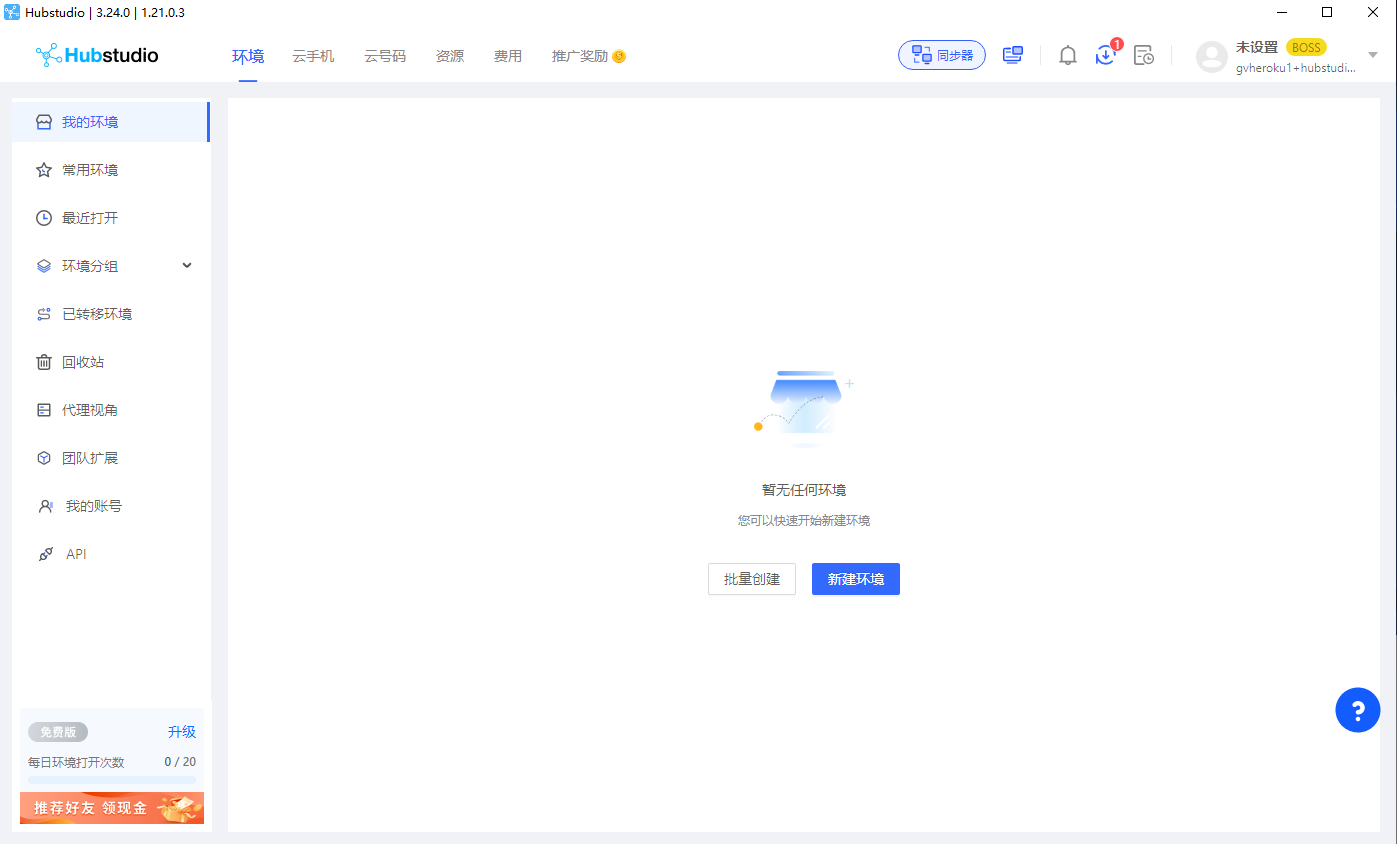
- 新建环境
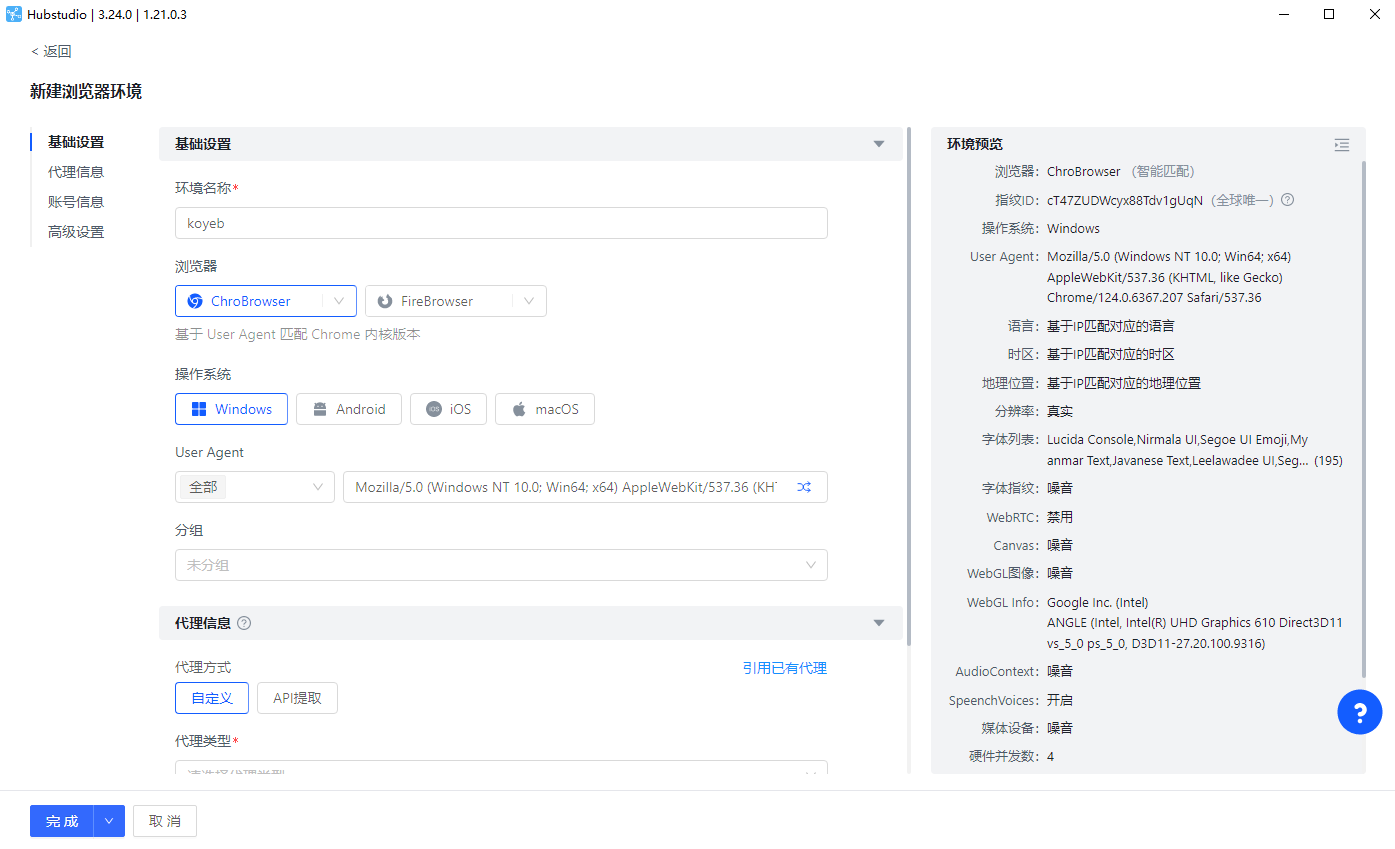
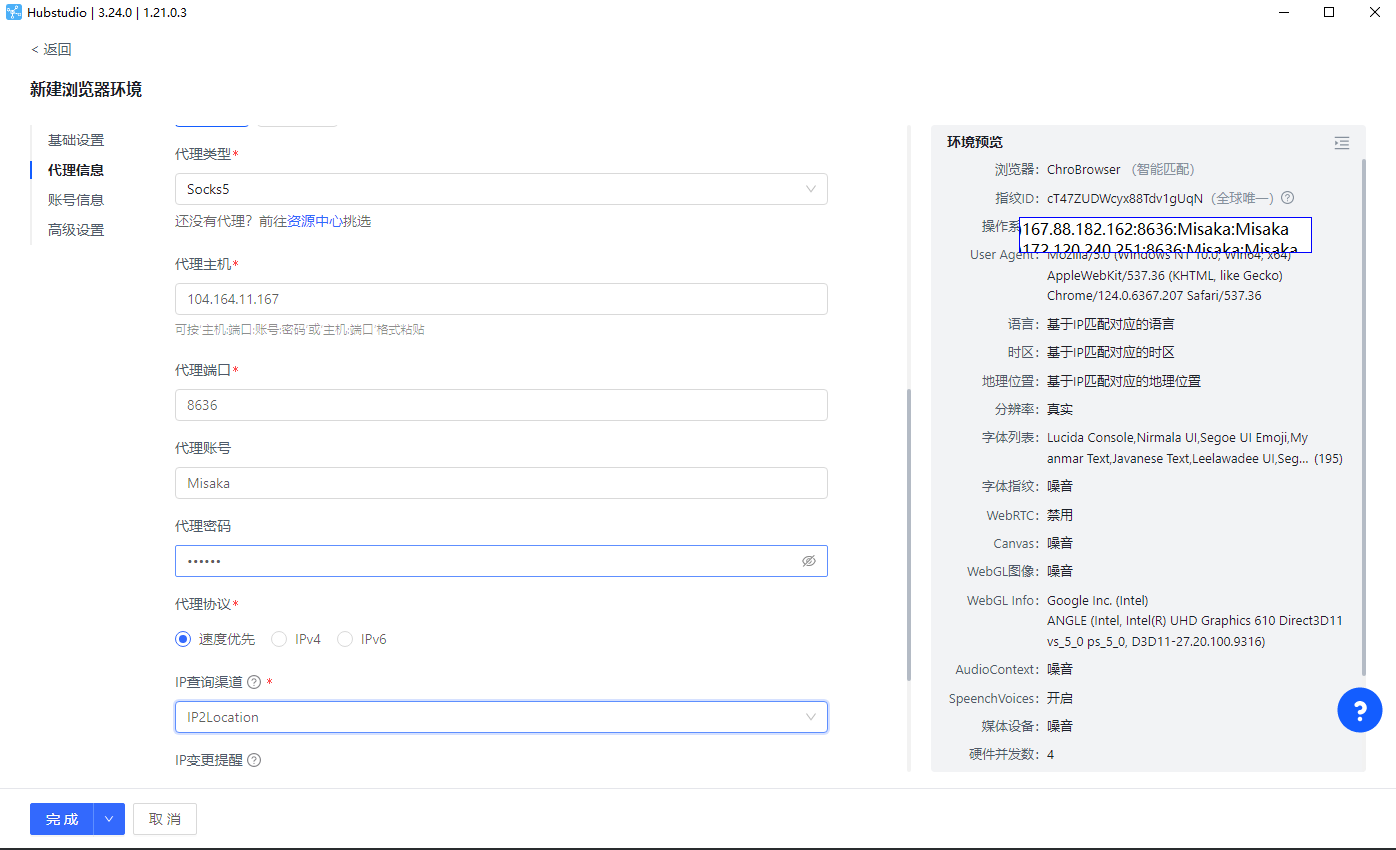
- 代理环境Sock5,提供一个Sock5代理协议IP:端口:账号:密码
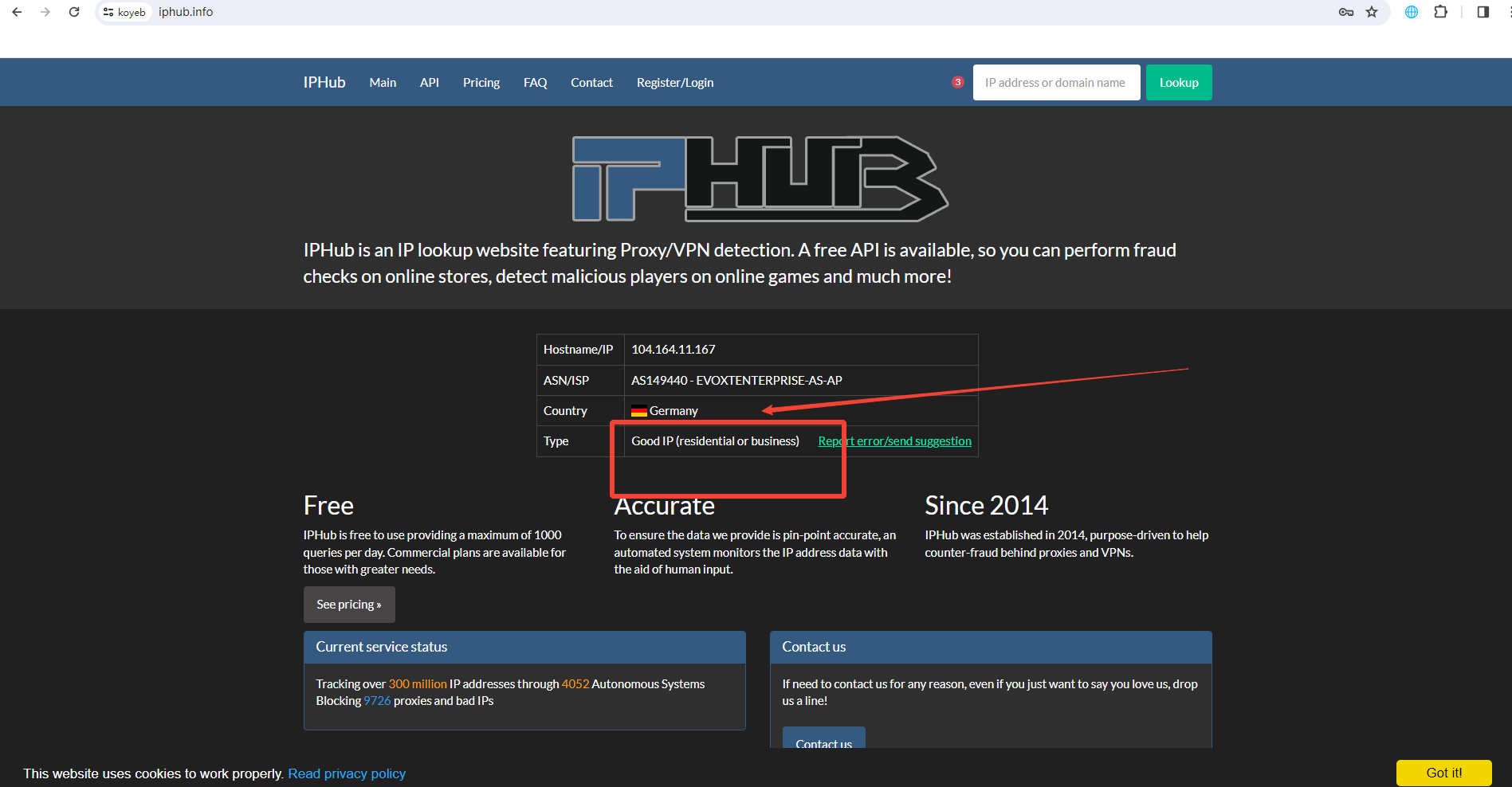
PS:时效性不知,请在评论区留言!(Socks5)104.164.11.167:8636:Misaka:Misaka - 代理配置
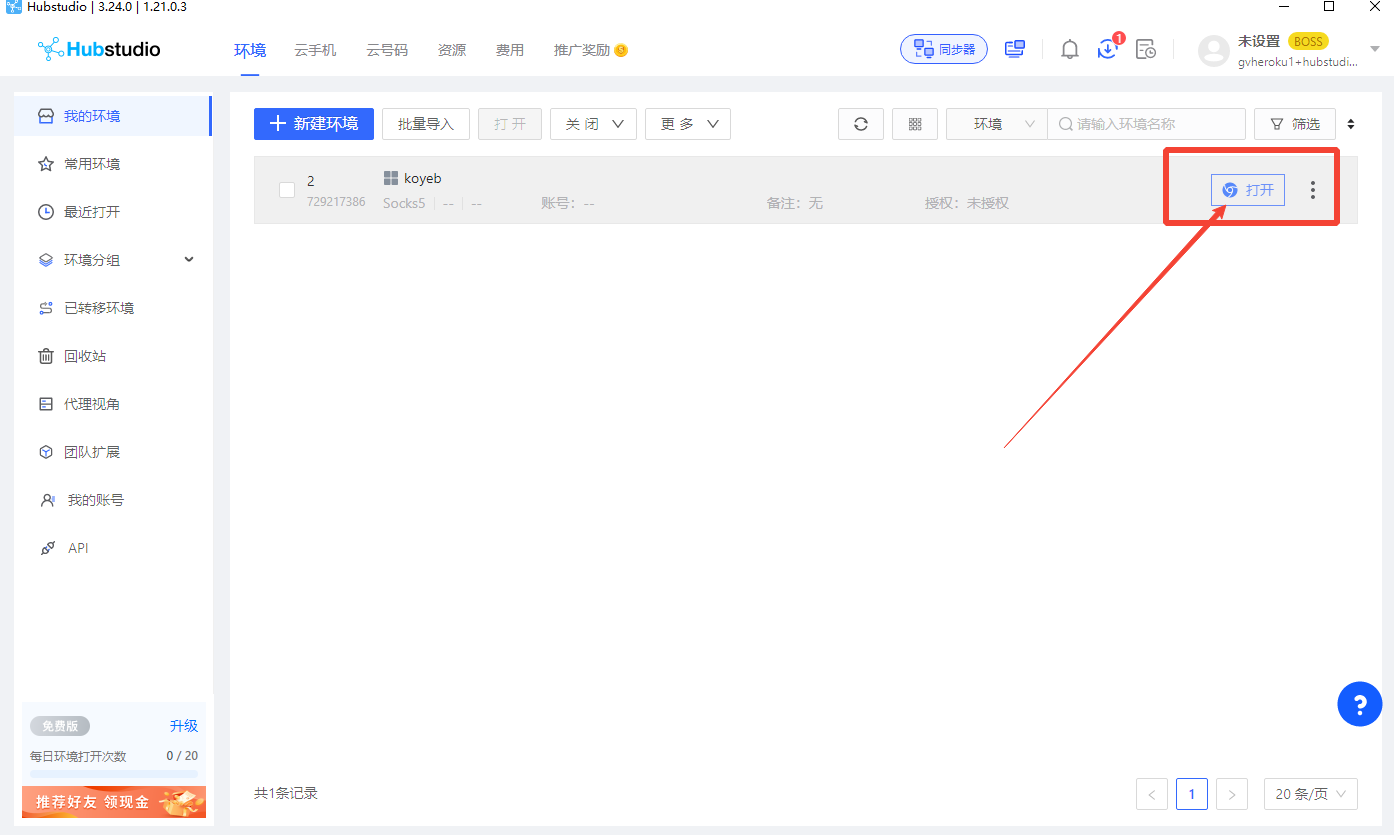
- 打开内置浏览器,检测环境是否为ISP干净环境(Good IP),如果是可以下一步啦
注册koyeb
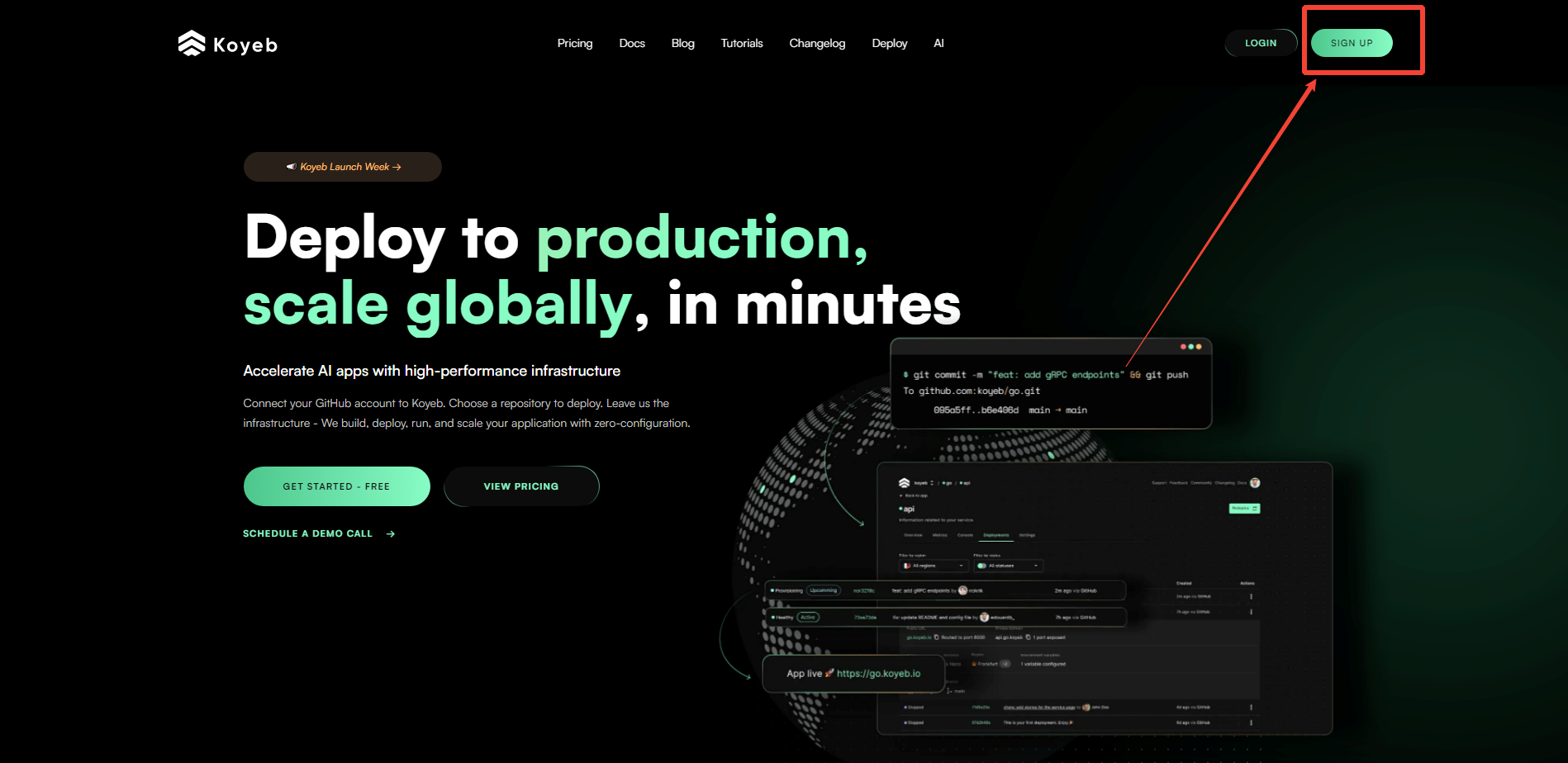
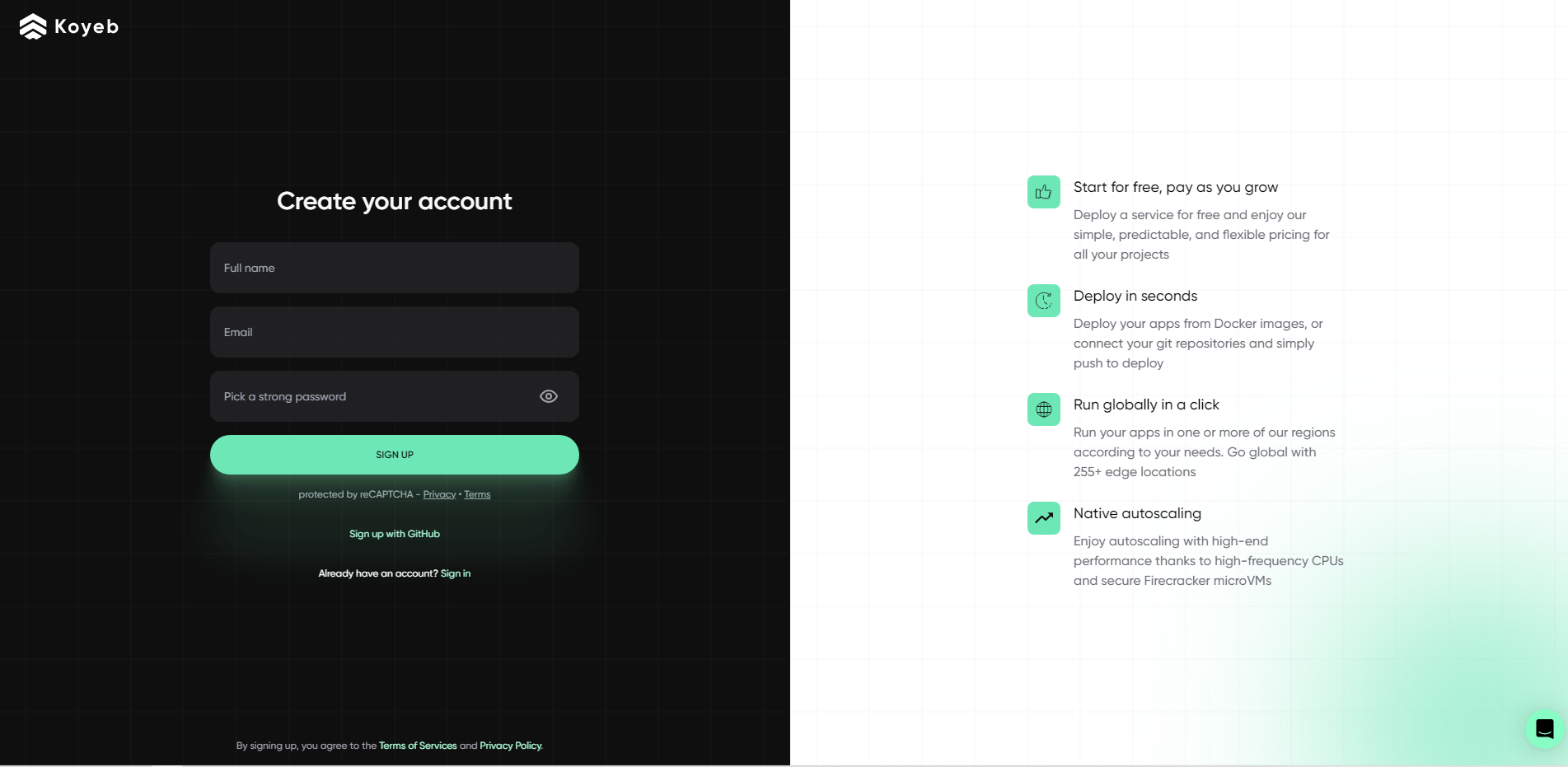
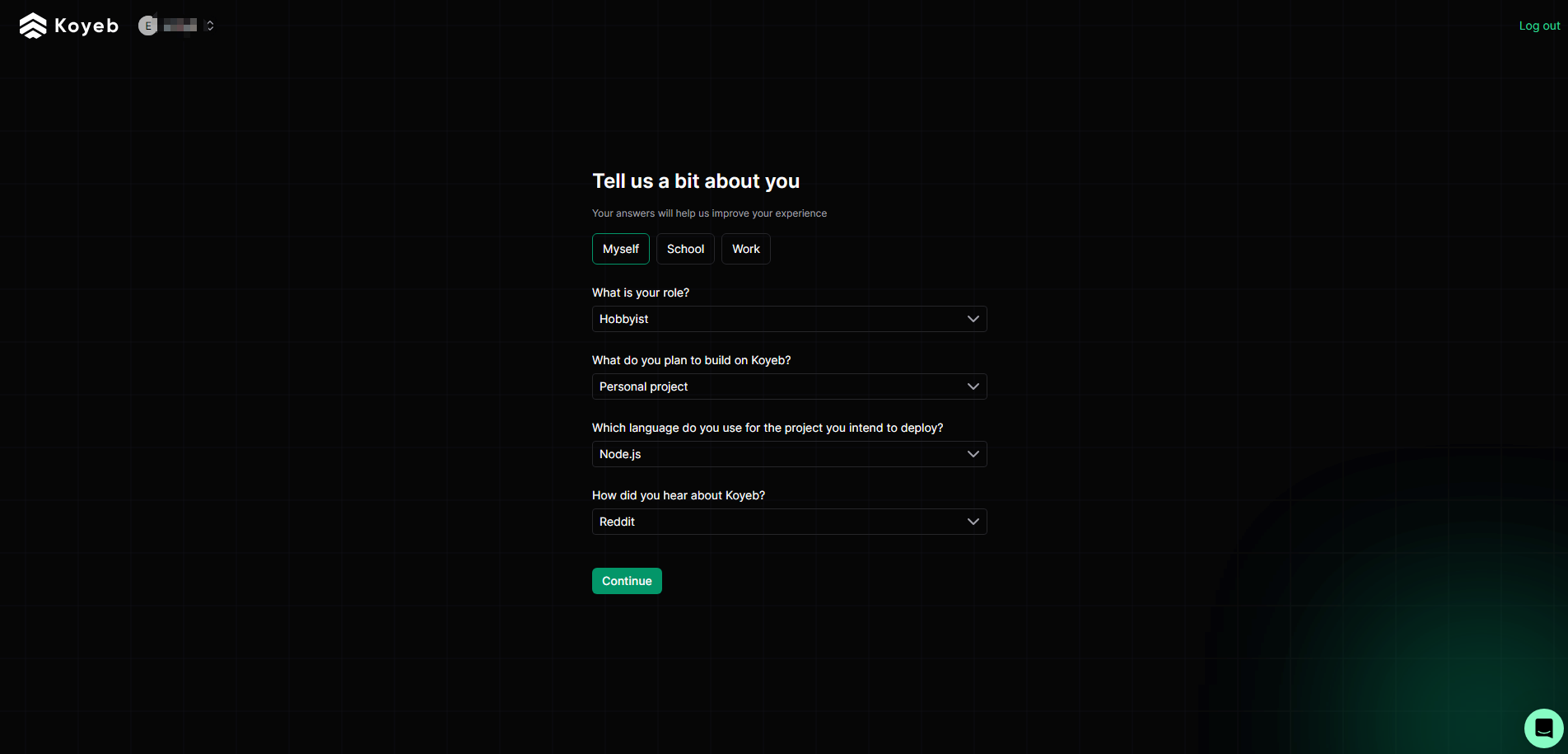
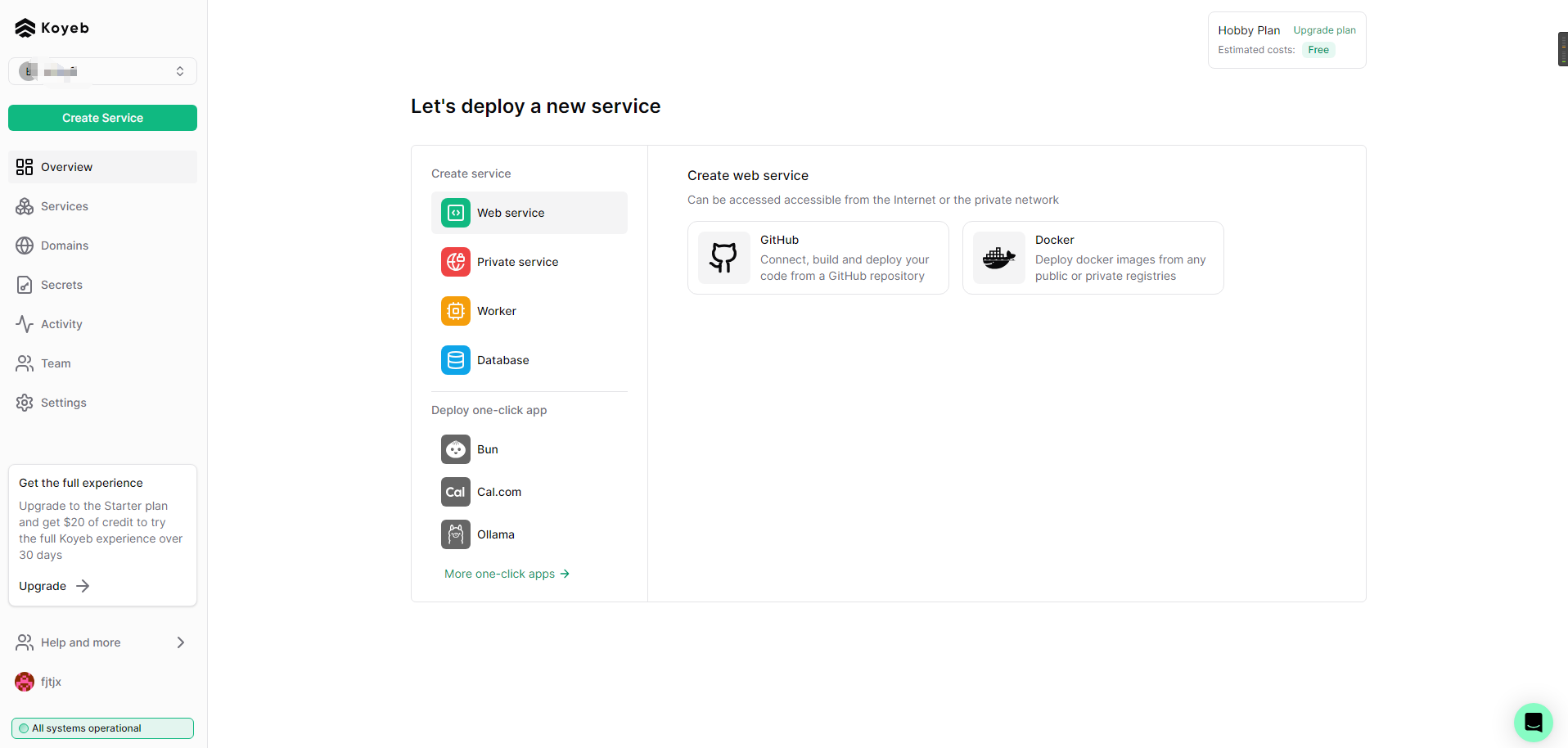
- 注册koyeb,建议大厂邮箱注册。以下为注册成功。
常见问题
- 注册遇到绑卡,无法通过注册
- 注册环境不干净,请使用国外ISP环境注册。
- 通过注册,但是部署完项目几天后项目被停止
- koyeb长久不登陆一次会暂停项目服务;一般为7天。
- 通过注册,但是几天后被封号
- 未ISP环境注册。
- 部署项目不成功,提示环境不安全和项目违反网站规则
- 通过ISP环境首次注册成功后,部署任何项目都会成功并不会删号。
- 虽然注册成功,但是提示黄色信息认证
- 代表未通过ISP环境注册,项目可部署,但几天后会封号,再次提交信息认证无效,可通过本教程重新注册。
- 免费服务
- koyeb免费提供两个免费服务:德国和美国;仅支持创建一个免费项目。
- 付费服务
- koyeb提供多个付费服务:新加坡、日本和美国,服务均5$/月,绑卡可每月享受5.5$。
注册成功
- 用过以上截图注册成功后,网站会进入首页,首页不会出现任何信息认证提交或者绑卡信息,此为注册成功。
温馨提示
- 请勿在Koyeb平台上部署任何违反其使用规则的内容。禁止大量注册账号或过度使用资源,以免造成资源浪费。请遵守平台的使用规范,合理利用资源,共同维护一个良好的使用环境。
Wasmer 部署 WordPress 并绑定自定义域名教程
随着云计算和容器化技术的普及,开发者和网站管理员们对轻量、高效、灵活的部署方式需求越来越大。Wasmer 作为一款强大的 WebAssembly 运行时,提供了在多种平台上高性能运行 WebAssembly 程序的能力。本文将详细介绍如何在 Wasmer 平台上部署 WordPress,安装并配置 Farallon 主题,同时绑定自定义域名,实现一个独立、个性化的博客网站。
什么是 Wasmer?
Wasmer.io 是一款开源的 WebAssembly 运行时,支持通过 WebAssembly 技术在服务器端运行各种应用。借助 Wasmer,你可以:
- 运行用多种语言编写的 WebAssembly 模块。
- 实现跨平台部署,节省资源。
- 提高安全性,利用 WebAssembly 的沙盒机制。
将 WordPress 这种经典的 PHP + MySQL 网站运行于 Wasmer,既能利用现代技术优势,又能保证熟悉的 WordPress 体验。
网站介绍:WordPress + Farallon 主题
WordPress 作为全球最流行的内容管理系统(CMS),其强大、灵活和完善的生态为搭建博客提供了坚实基础。Farallon 是 WordPress 上一款优雅简洁、响应式设计的免费主题,适合写作和个人博客,具有:
- 干净简洁的界面。
- 高度可定制化。
- 良好的移动端兼容性。
- 支持多种布局和小工具。
通过此次部署,您将能搭建一个美观、轻便的个人博客。
一、准备工作
- 注册 Wasmer 账号:访问 https://wasmer.io 注册并登录。
- 购买或准备自定义域名:如从阿里云、华为云处购买,Hidns免费处申请。
- 注册Gcore托管平台:添加域名到Gcore,即可使用gcore的CDN和SSL。
- 准备 WordPress 镜像及数据库:wasmer自带一体化数据库,不需要额外的配置。
二、在 Wasmer 部署 WordPress
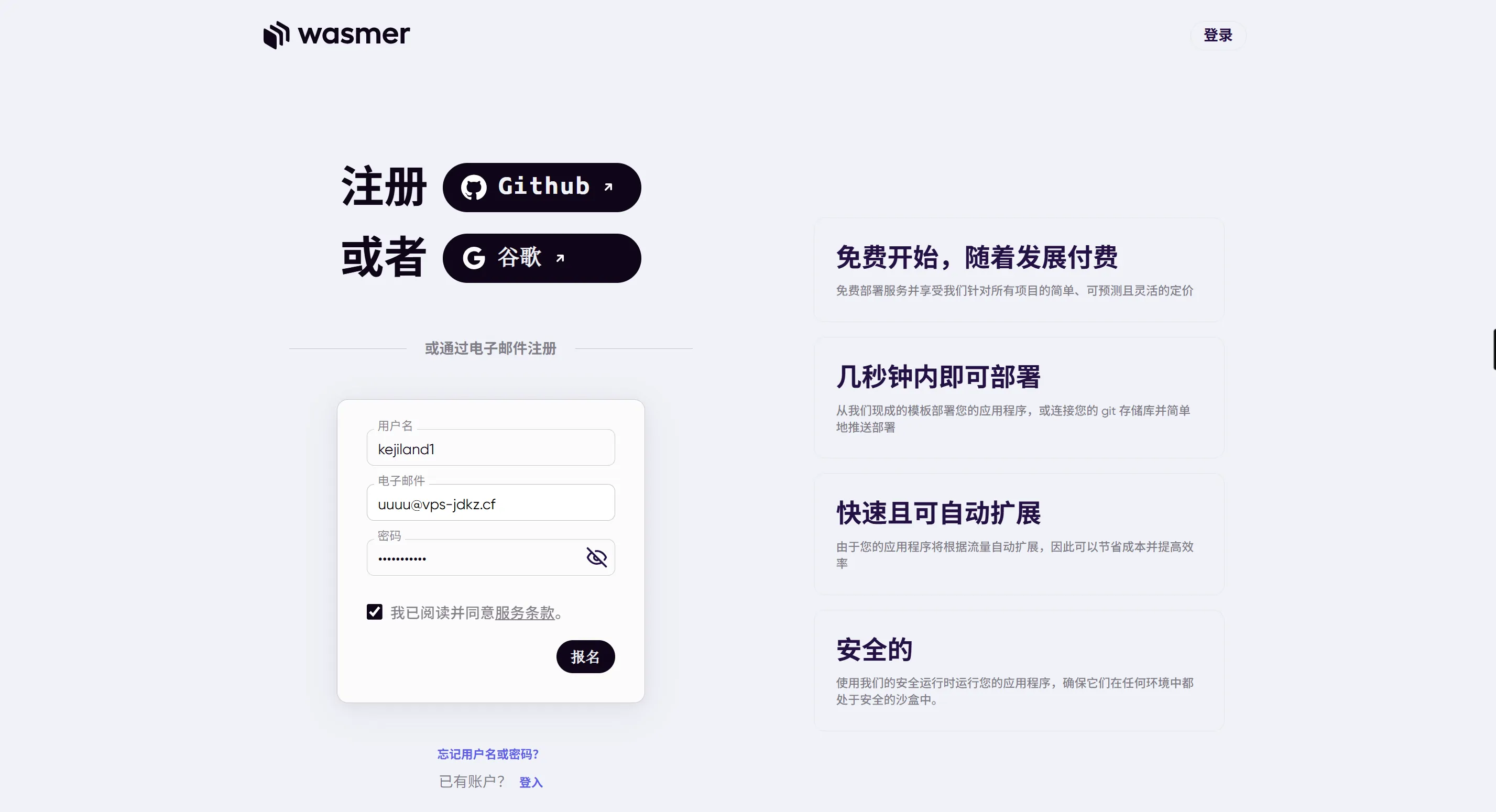
1. 注册并登录Wasmer

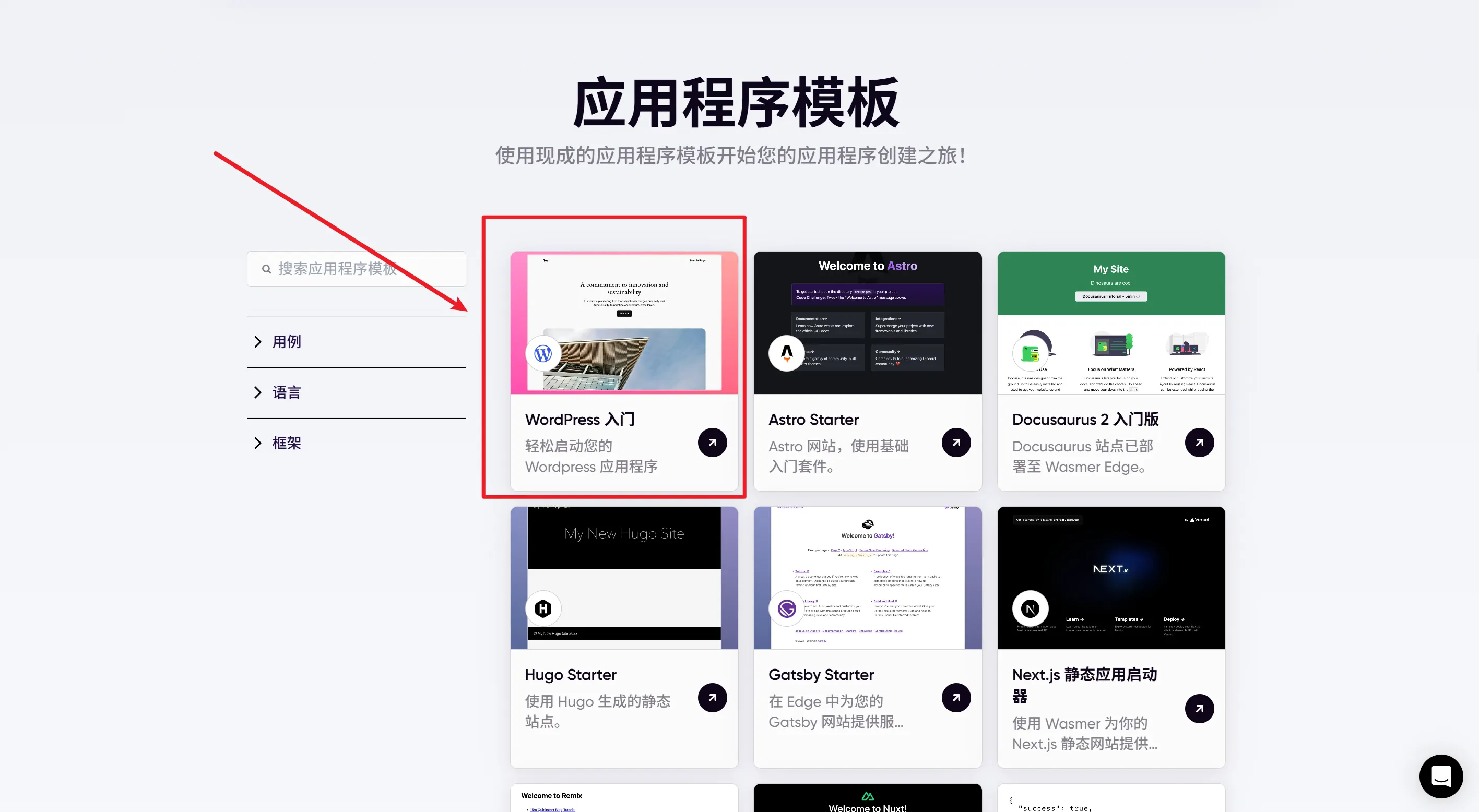
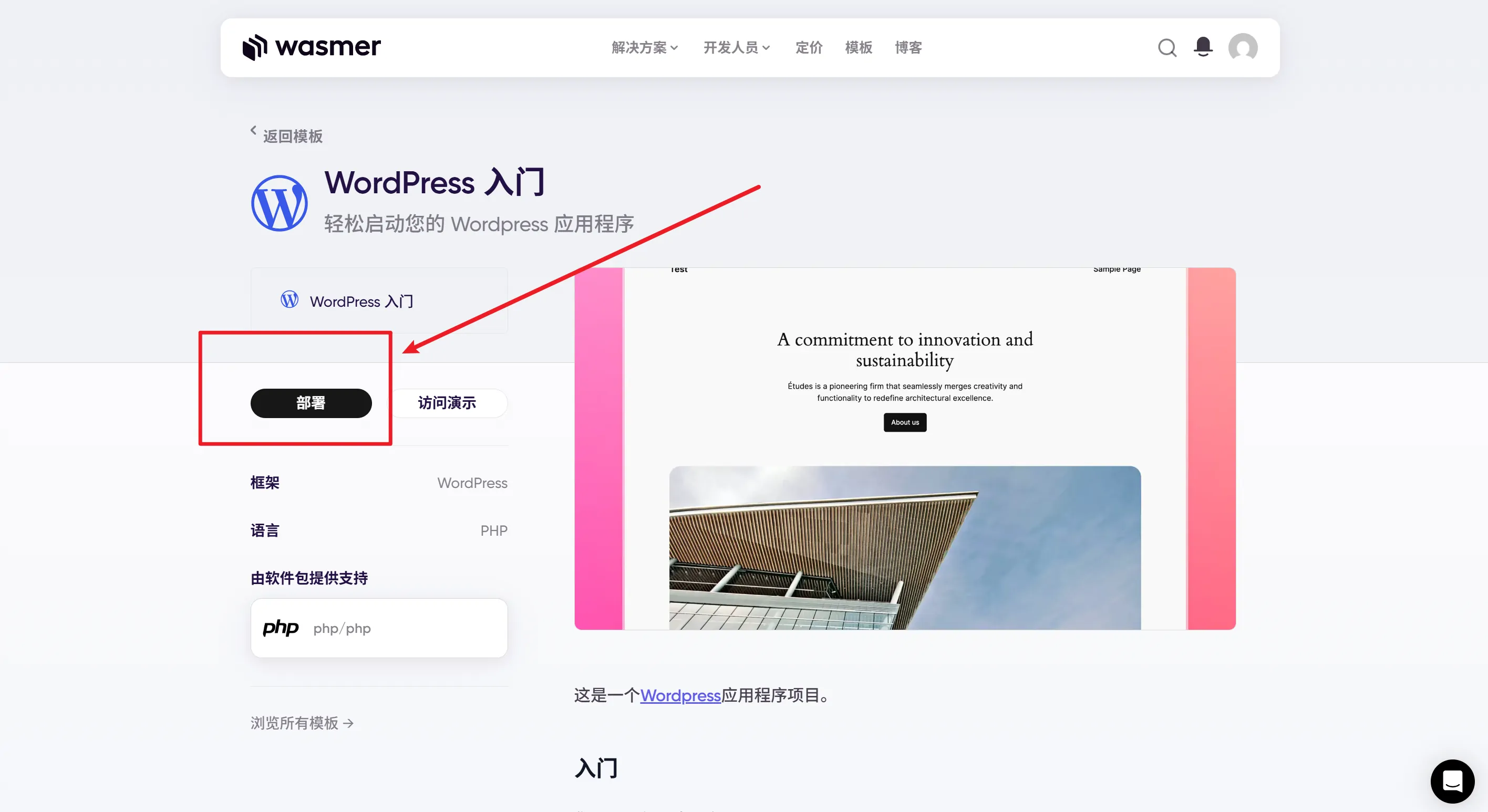
2. 部署 WordPress
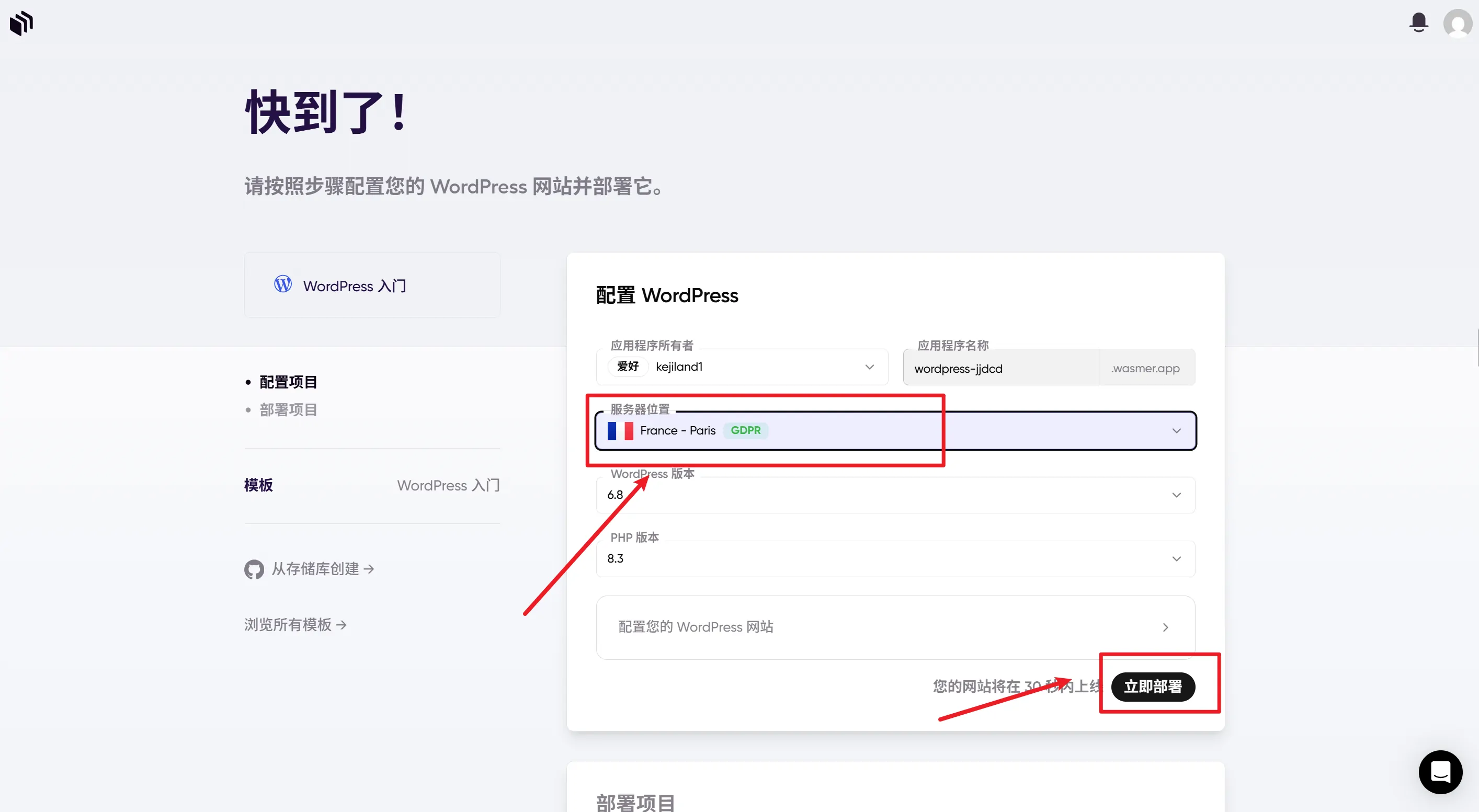
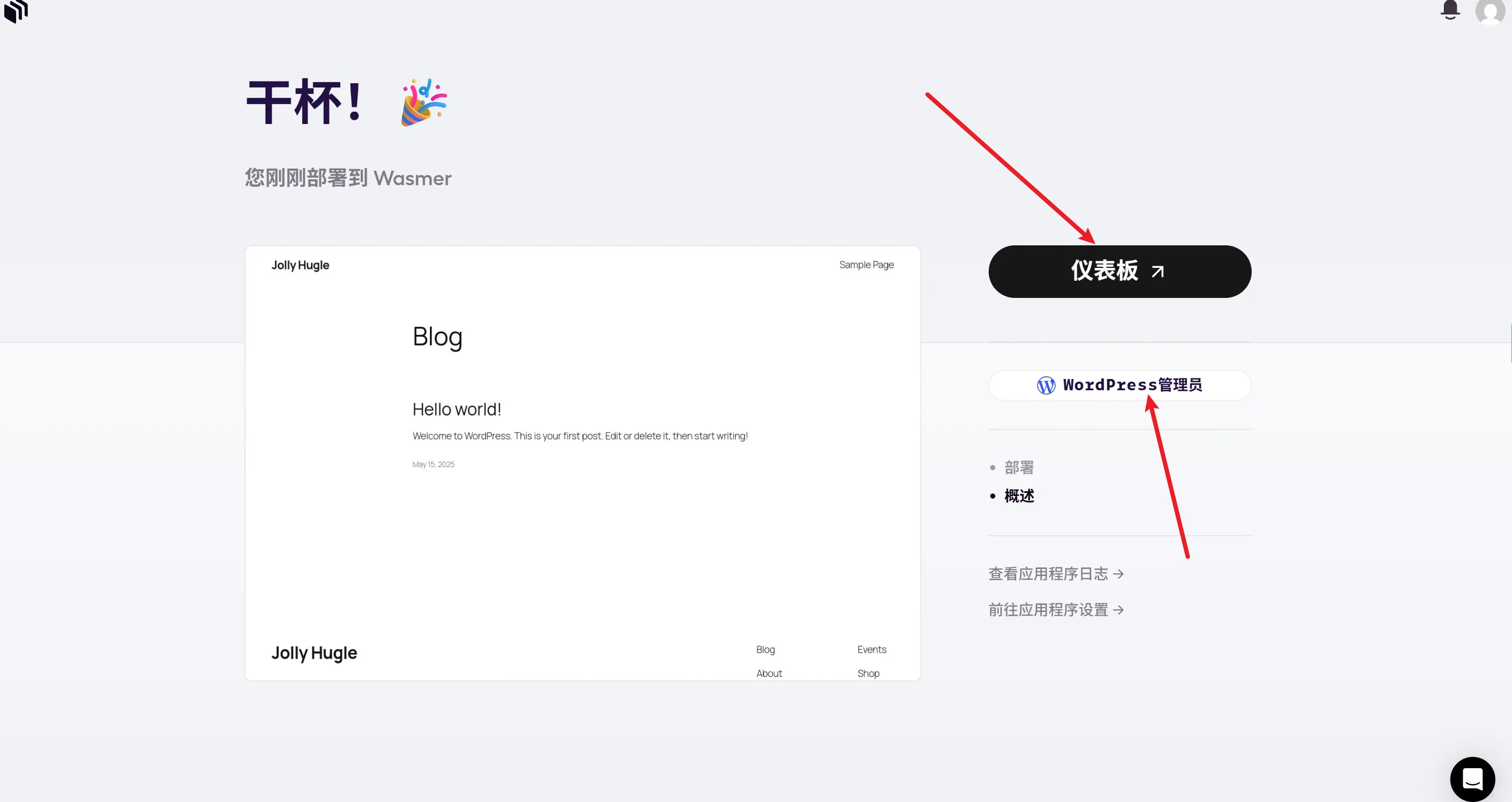
3. 访问 WordPress 安装页面
访问地址:https://wordpress-mumt7.wasmer.app/
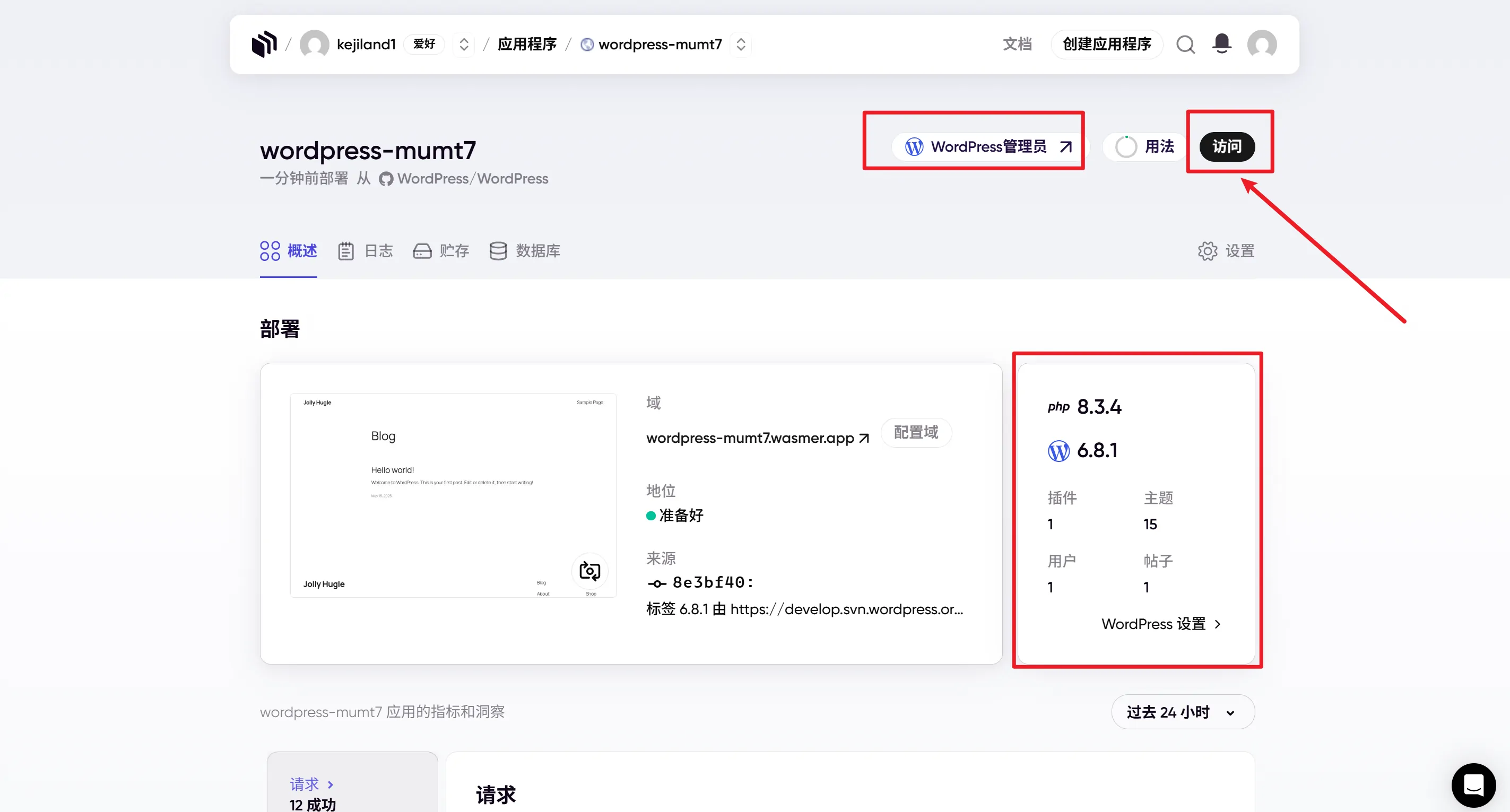

三、安装和配置 Farallon 主题
- 登录 WordPress 后台,访问 外观 > 主题。

- 点击 添加新主题,上传压缩包 Farallon。
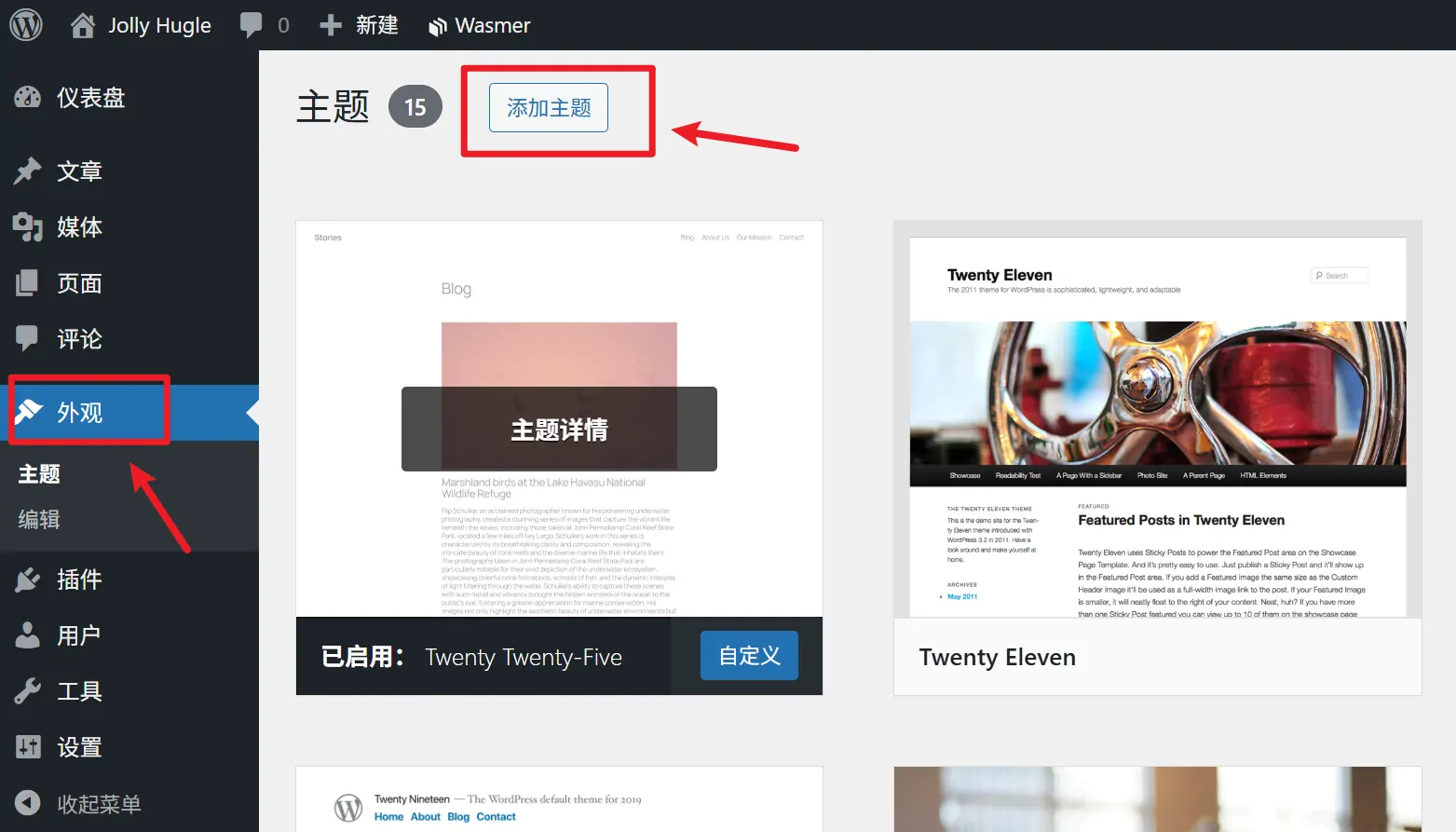
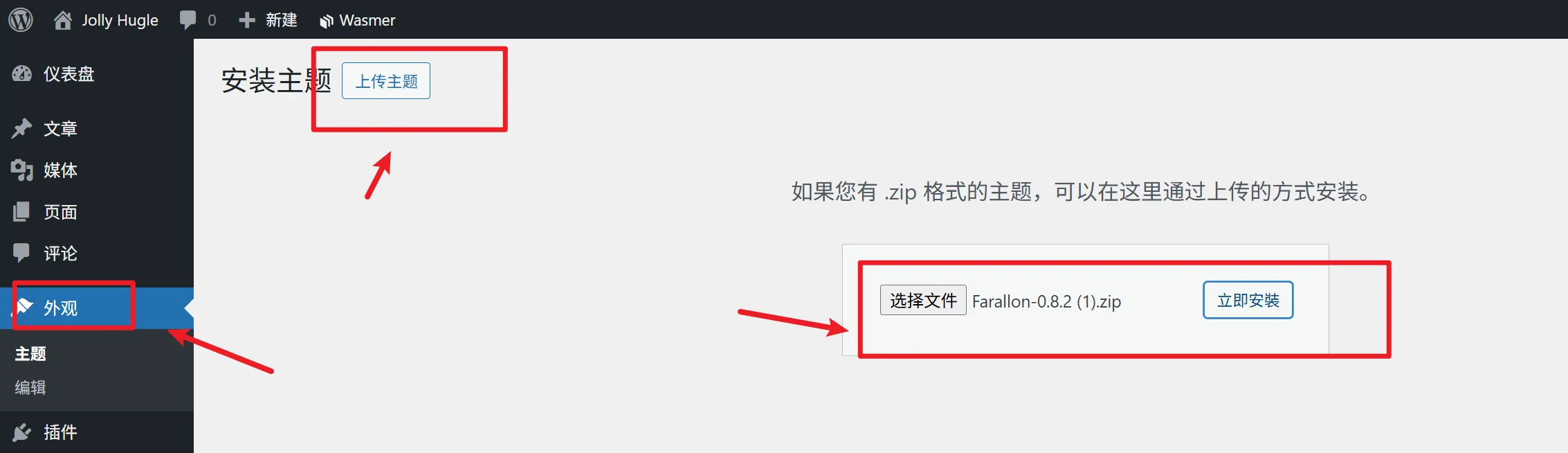
- 找到主题后,点击 安装,安装完成后点击 启用。
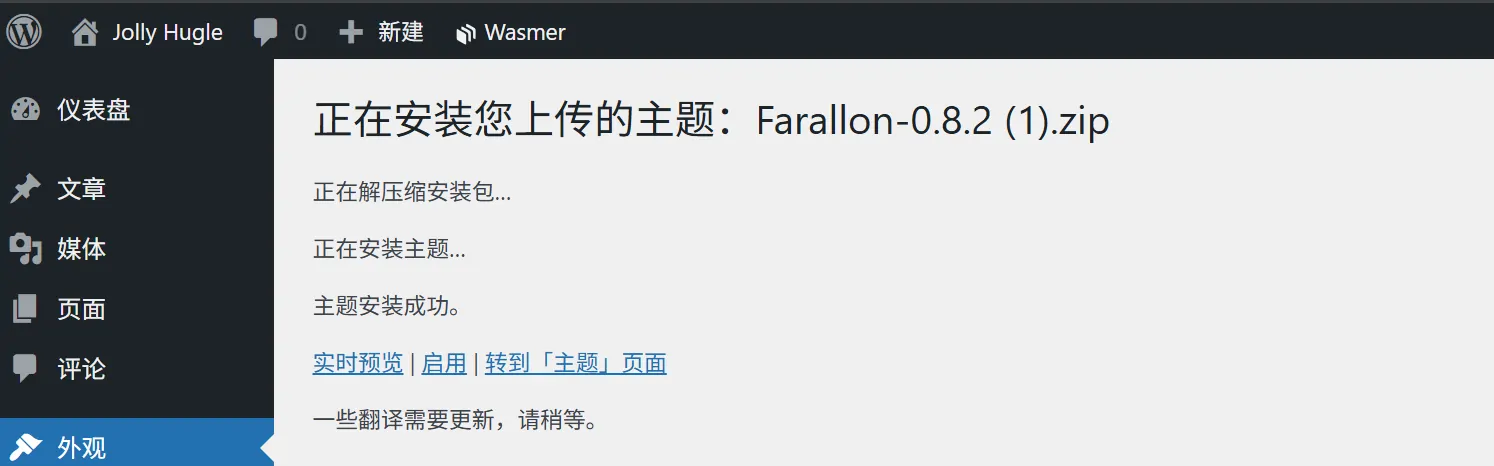
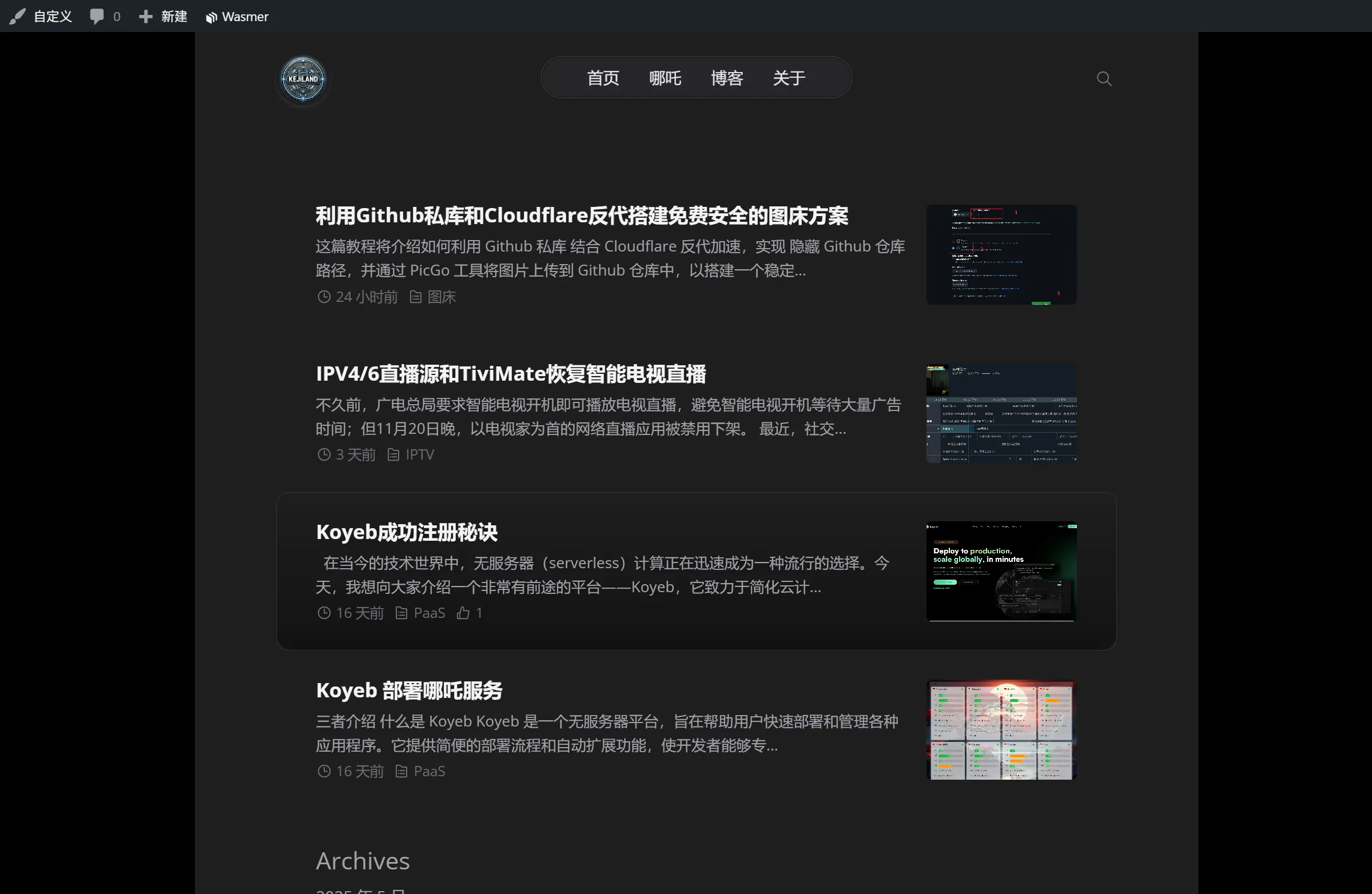
- 进入 自定义 > 主题选项 配置界面,根据需求调整网站配色、布局、小工具位置等。
- 发布首篇博客文章,体验主题效果。访问地址:https://www.2024921.xyz
四、托管Gcore平台
1. 注册并托管
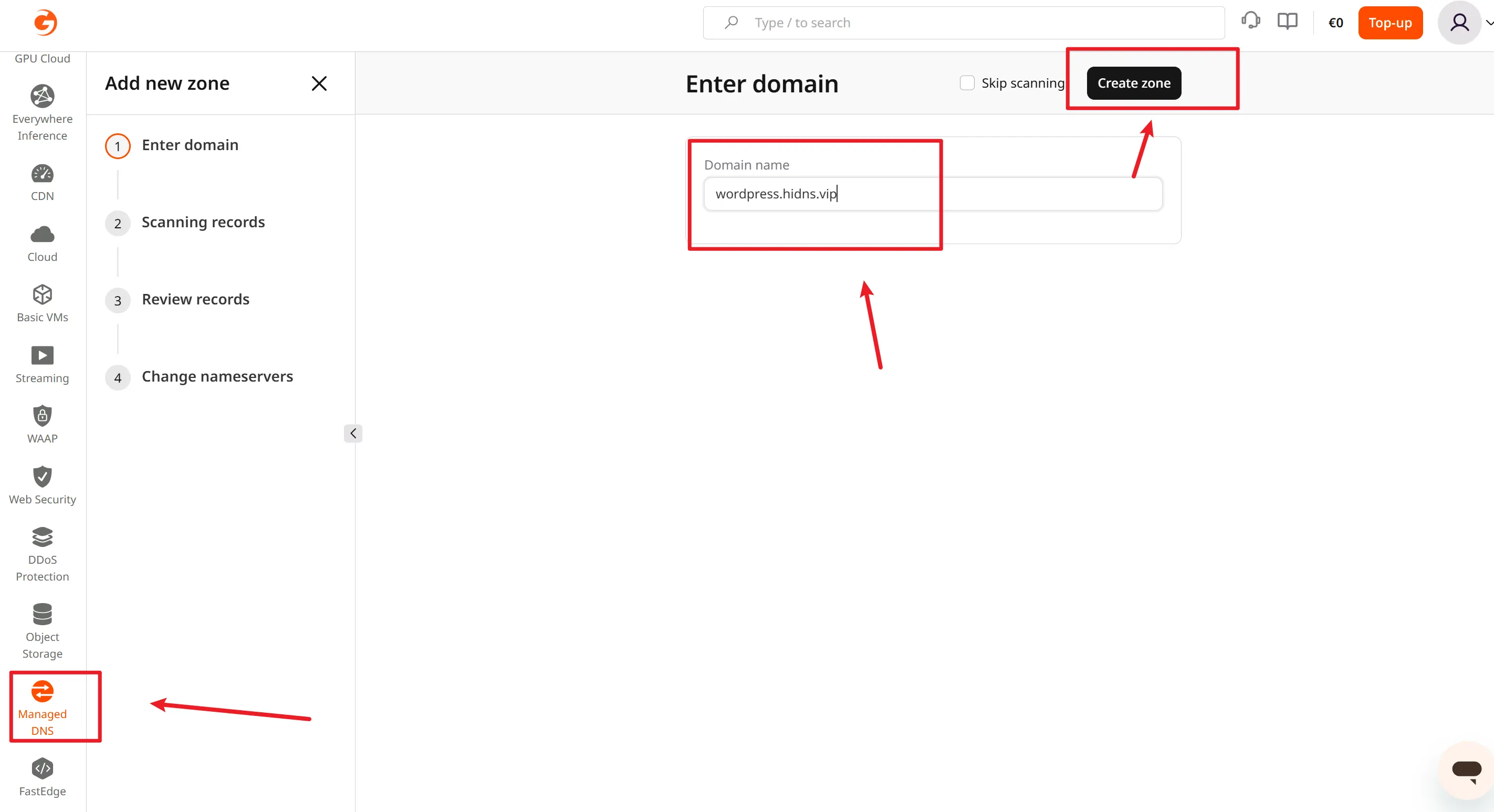
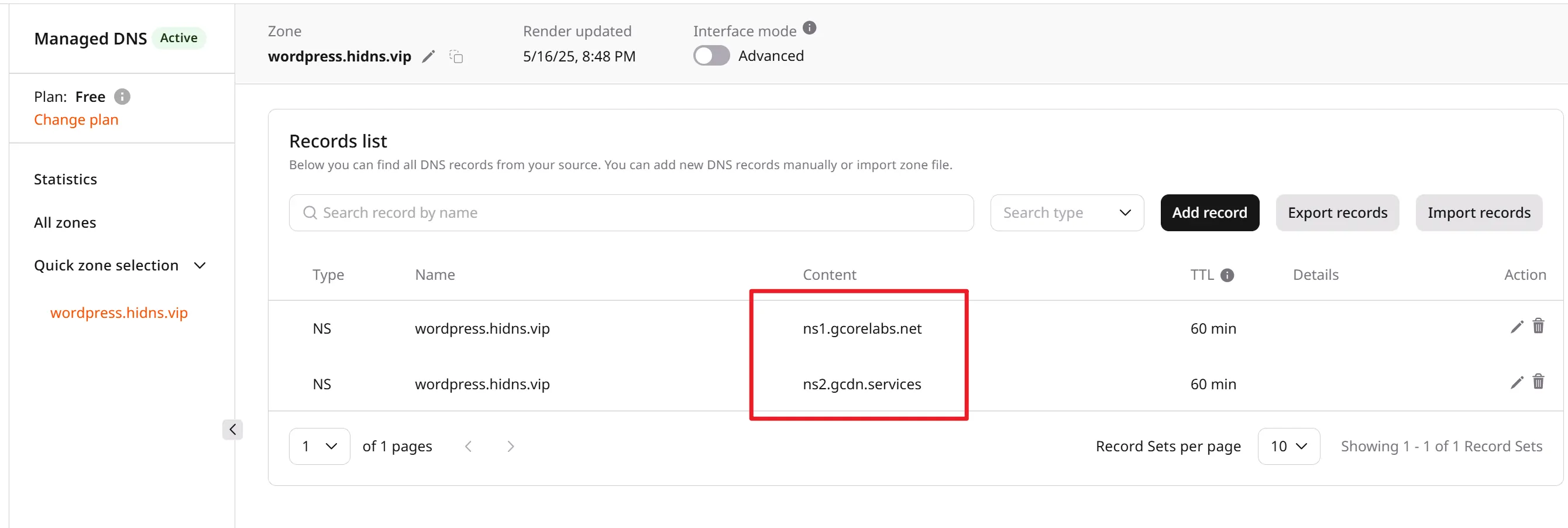
2. 更新名称服务器
复制ns1.gcorelabs.net``ns2.gcdn.services到HiDNS的名称服务器中。
五、绑定自定义域名
1. 申请域名
HiDNS 永久免费域名计划网址,申请域名时不要只发工单,也要把域名申请一下。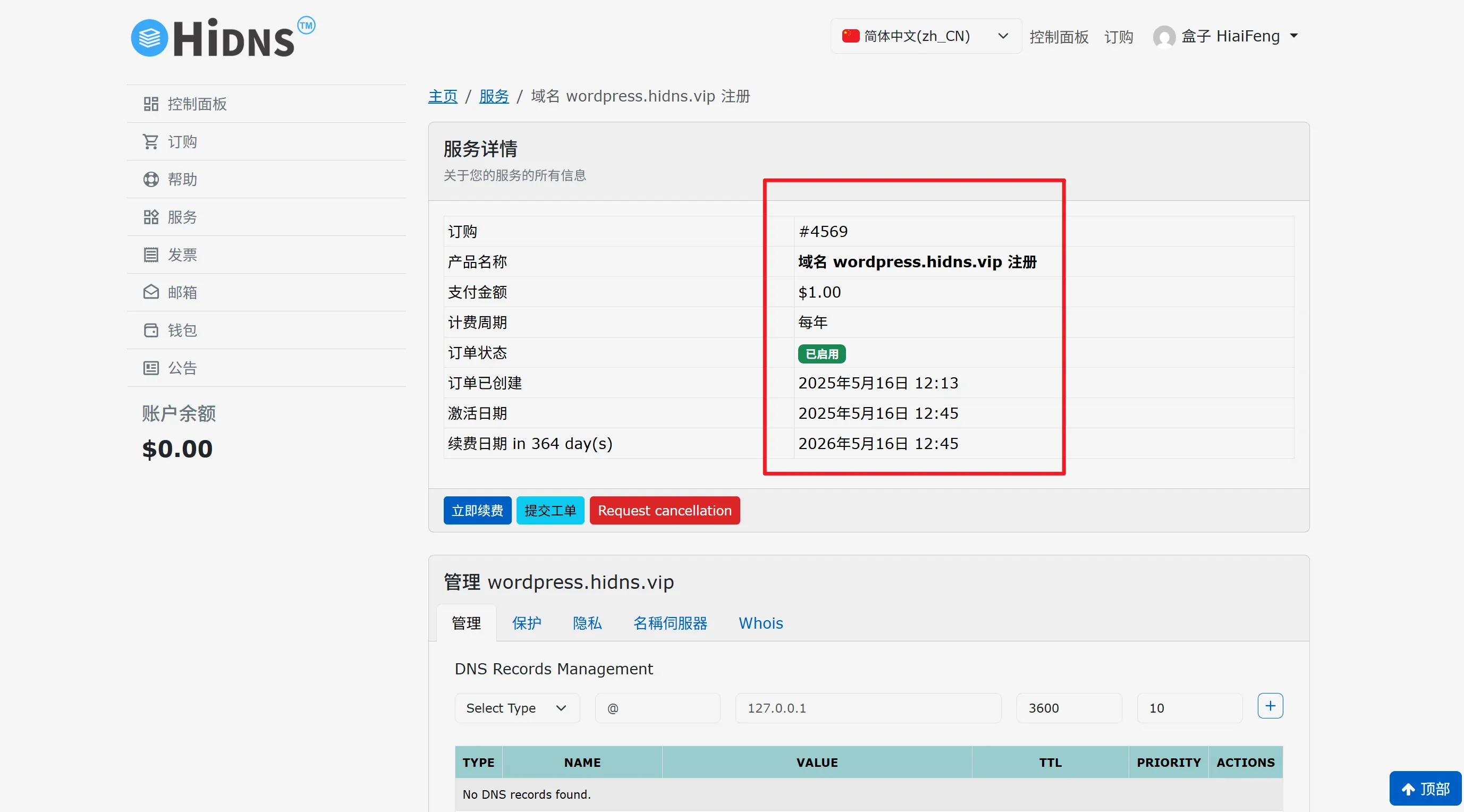

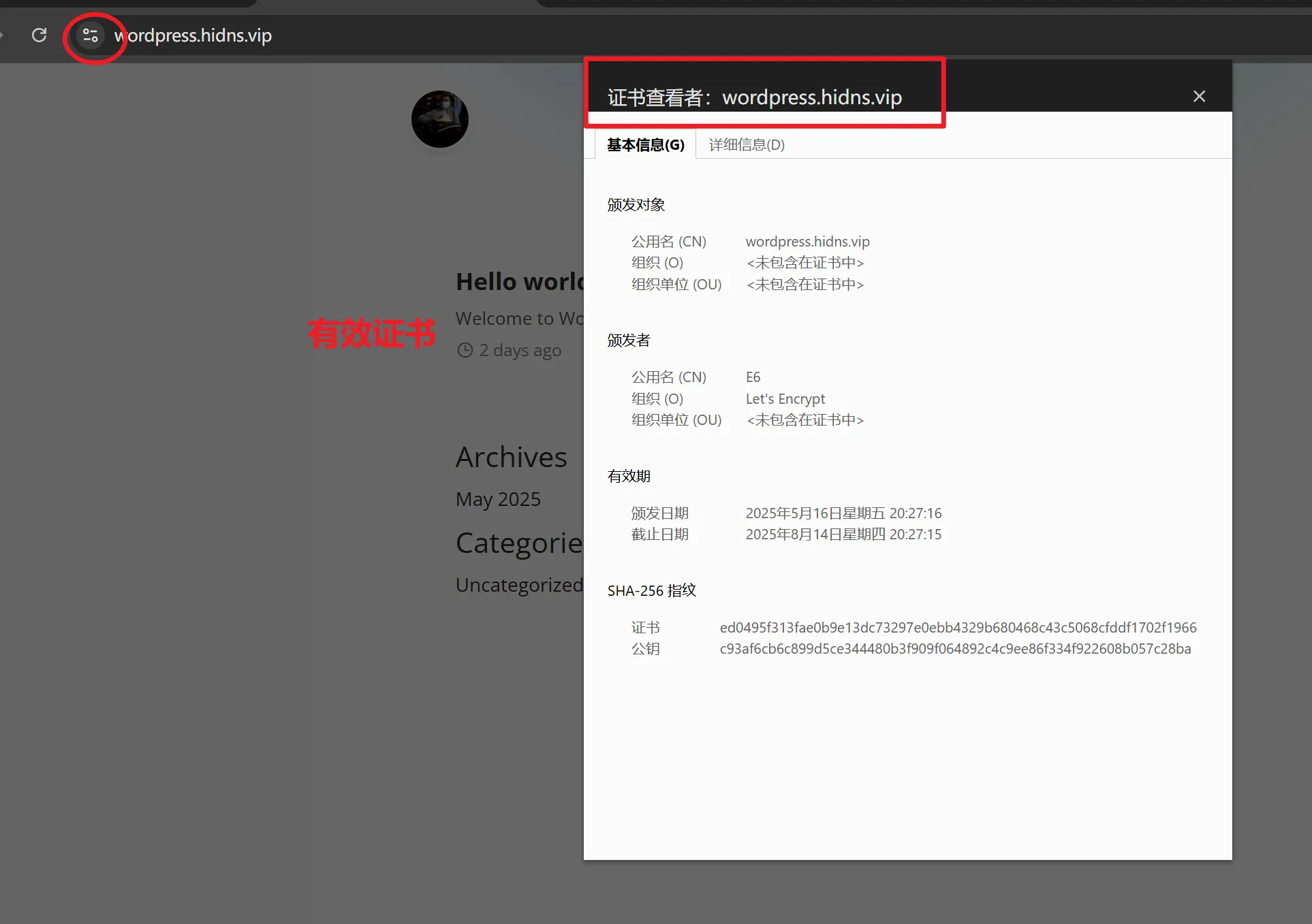
目前官方鼓励将域名使用于 Blog / 其他活跃的 Web 服务,并为域名申请 SSL 证书。符合该条件的用户可以直接注册,无须优惠劵,HiDNS 团队人员会在后台激活使用于“ Blog / 其他活跃的 Web 服务”的域名。域名激活后,7 天内完成 Blog 的绑定,会被设置为永久免费域名,只要域名不闲置、不滥用将永远免费。
2. 解析域名
登录域名管理控制台,添加一条 A 记录:
- 主机记录:
@或自定义子域名(如www) - 记录类型:
A - 记录值:Wasmer 实例公网 IP 地址
- TTL:默认即可
等待 DNS 生效(通常几分钟到一小时不等)。
3. 配置 Wasmer 绑定域名
在 Wasmer 平台:
- 找到你的 WordPress 服务对应的项目设置。
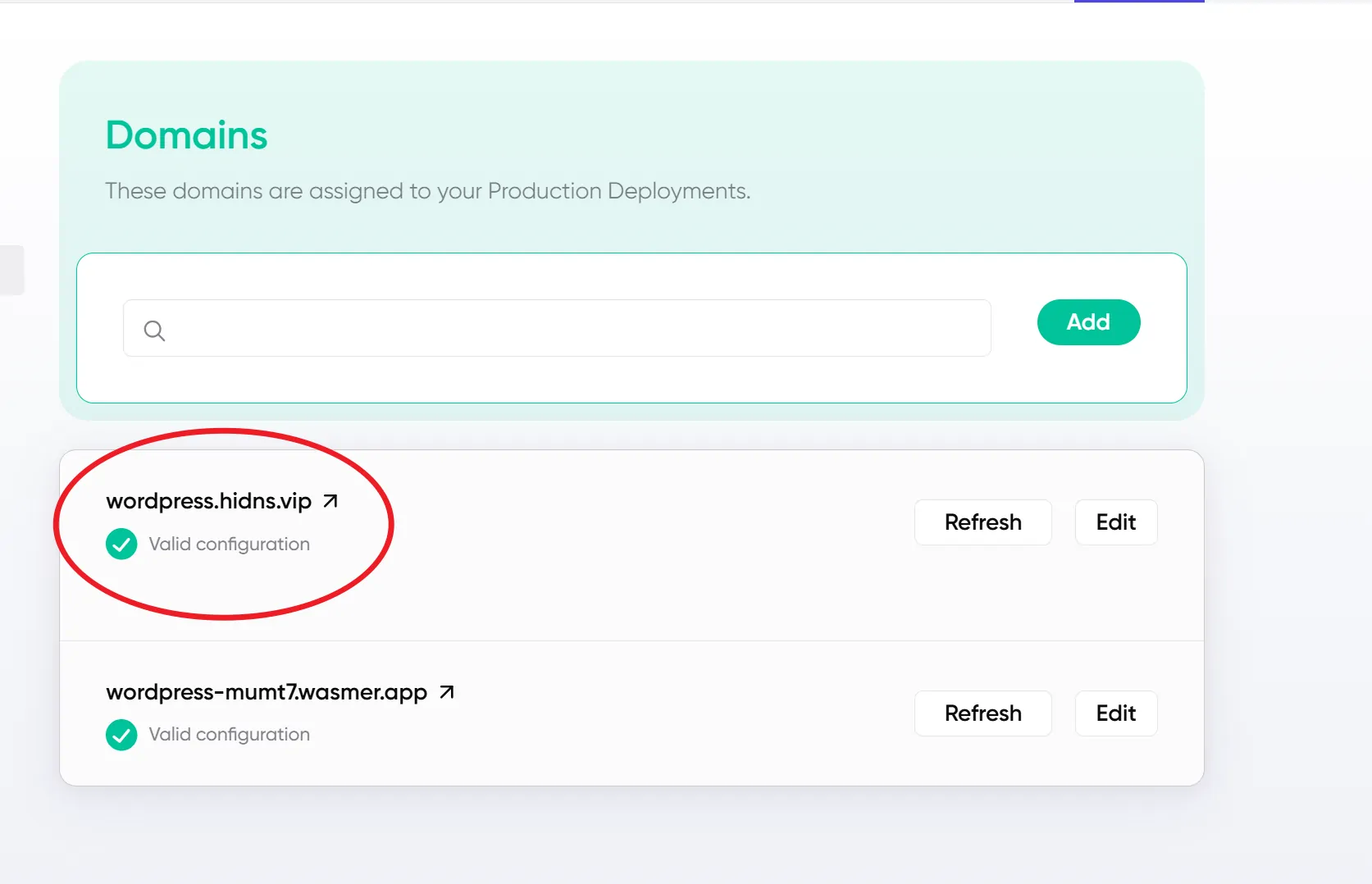
- 在“域名”或“网络”栏目,绑定你的自定义域名。
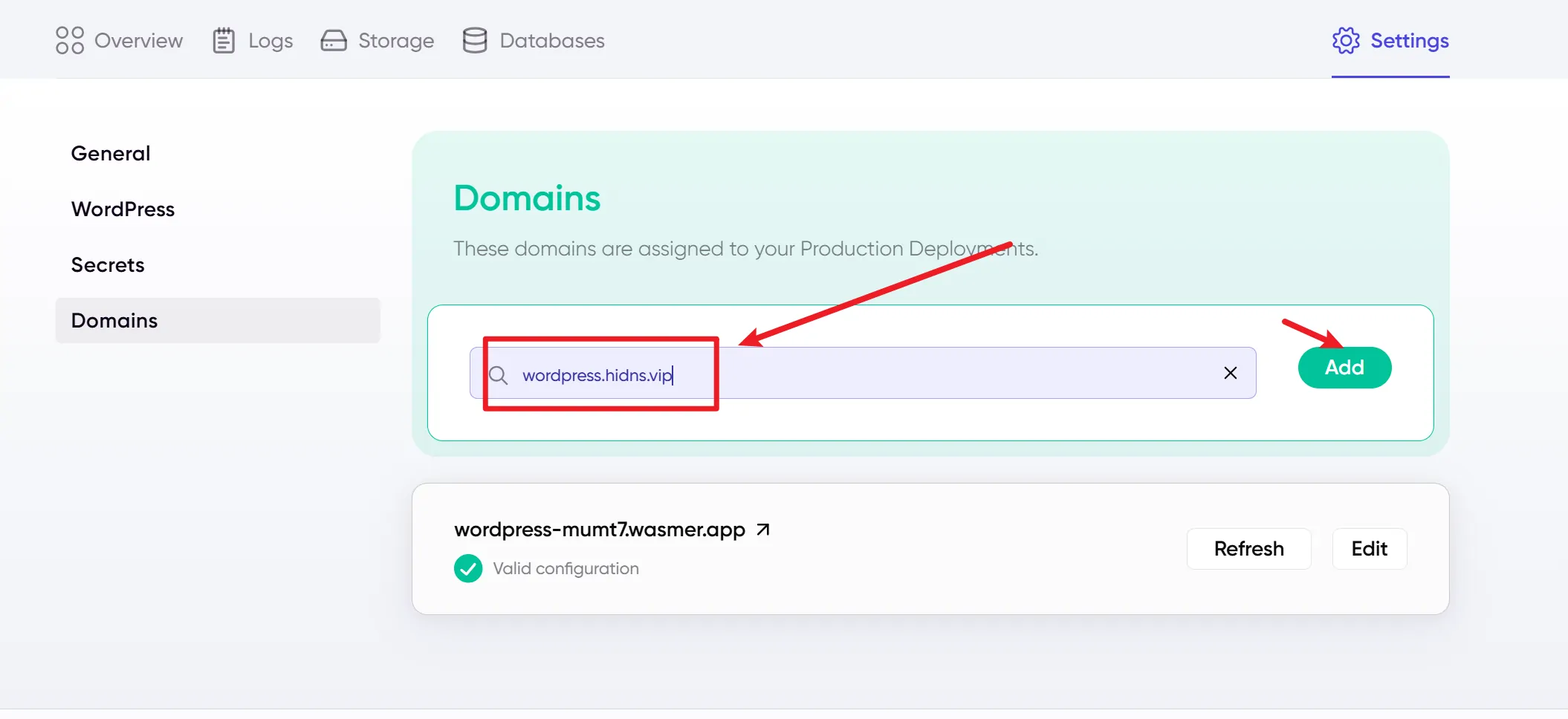
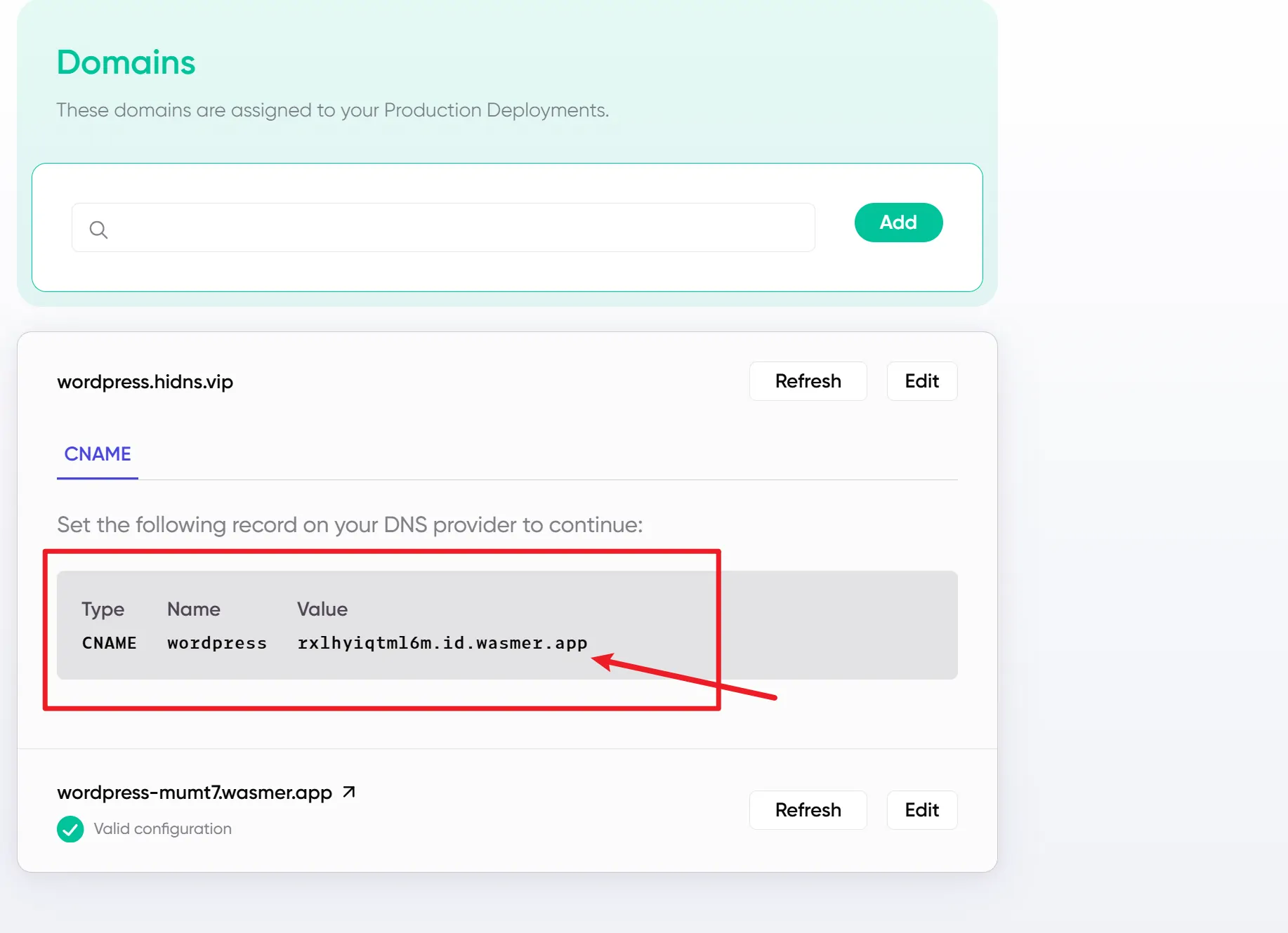
- 将Value值添加到Gcore的CDN中,即可绑定成功。
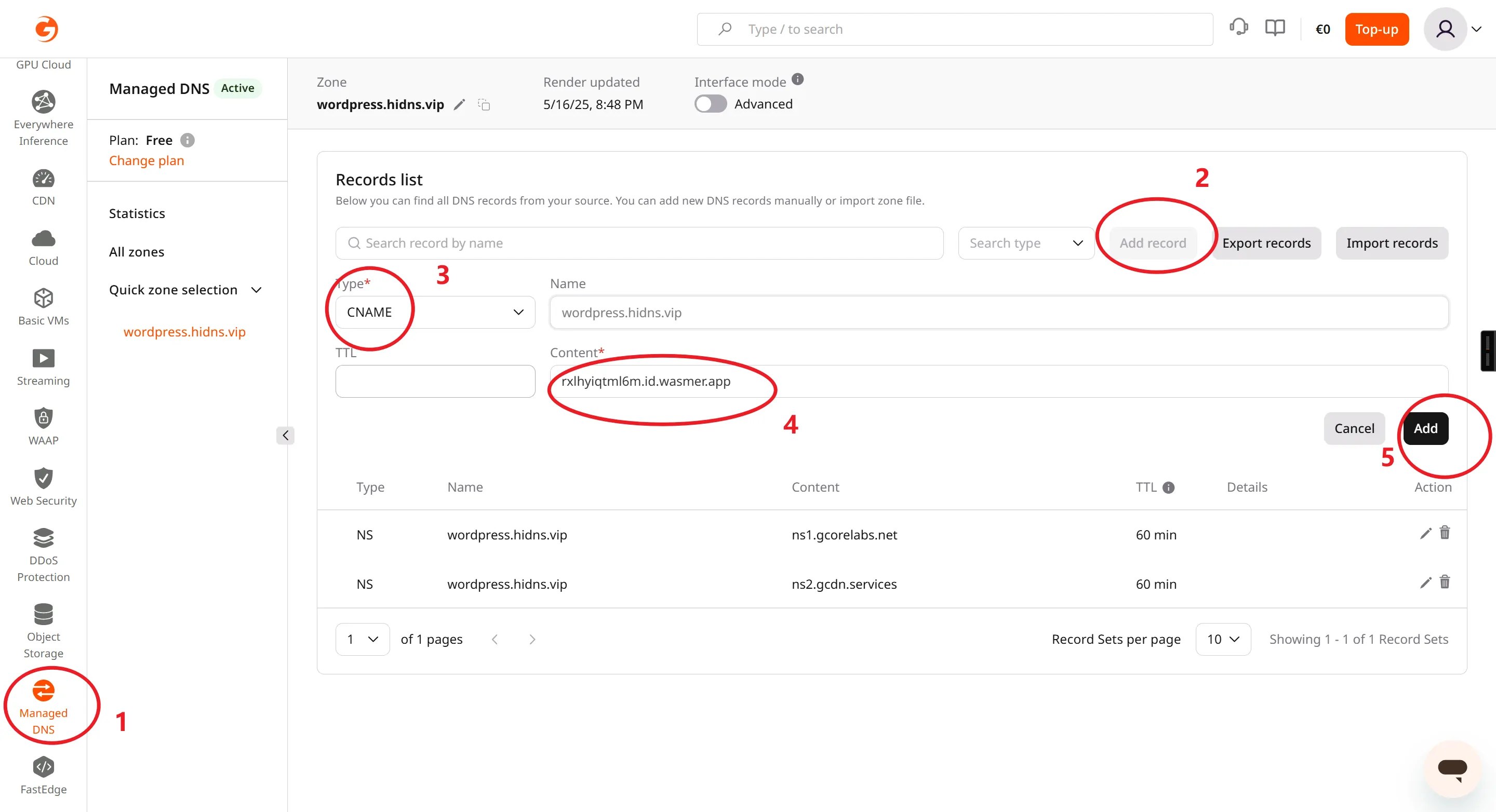
- 绑定后,Wasmer 会自动配置监听你的域名请求。
六、总结
通过 Wasmer,我们实现了现代、轻量级的 WordPress 部署方式,极大提升了网站的安全性和跨平台能力。搭配 Farallon 主题,赋予博客简洁优雅的外观体验。绑定自定义域名后,网站变得更具专业性。无论是个人博客还是小型站点,这套方案都非常适合。
如果你正在寻找一套高性能又易用的部署方案,试试 Wasmer 无疑是一个不错的选择!